4.1 Creating a dial-up connection
Click on "Start", "Connect To".
Windows will open the 'Connect To' window.
Click "Set up a connection or network".
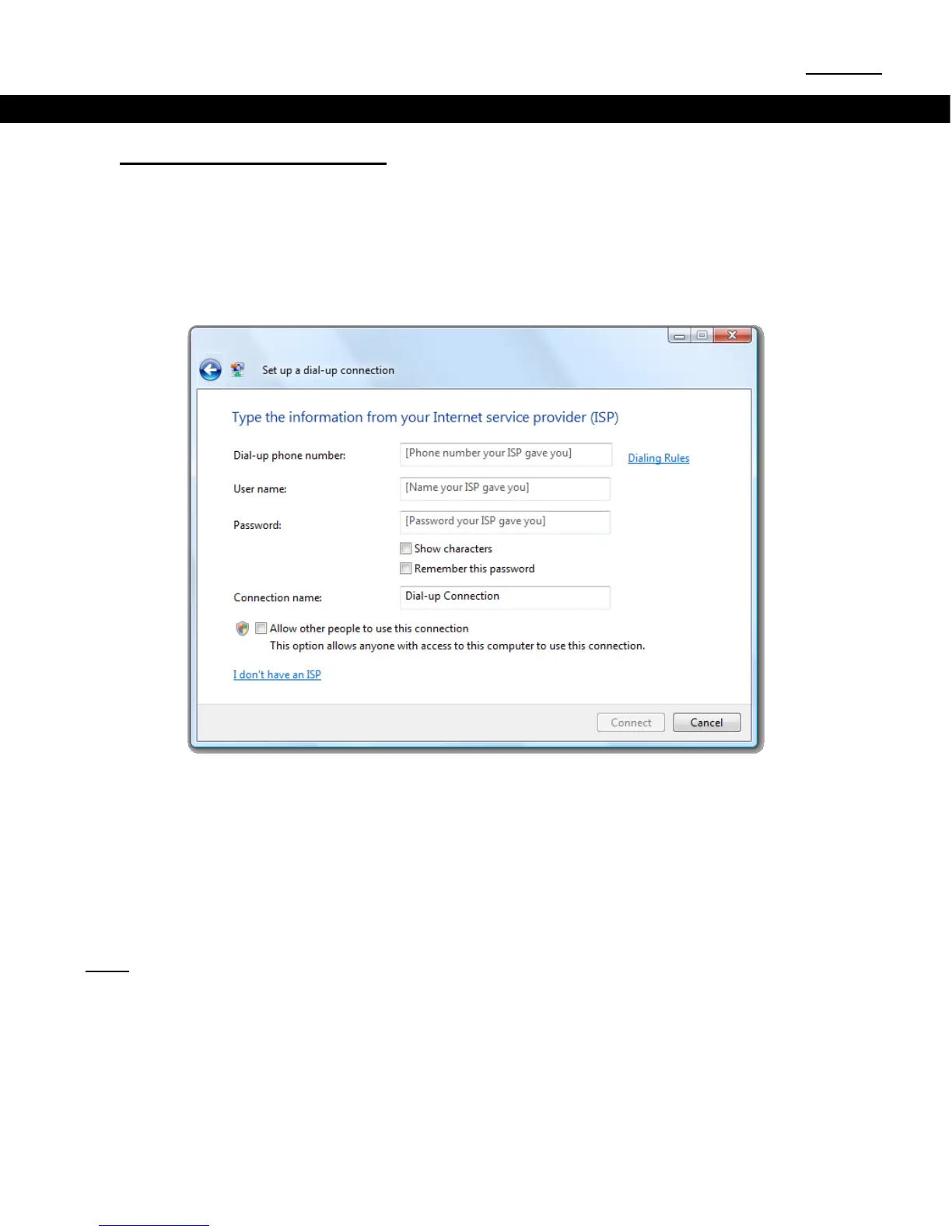
Click "Set up a dial-up connection".
Dial-up phone numberUser namePassword-up connection.
Connection namedial-up connection, or keep the default name.
Click "Connect" to test the connection.
Windows will now test the connection. When the connection iYou are
connected to the Internet.
Click Browse now to open your internet browser, or click "Close" to close the connection wizard.
Note: Your dial-up connection is still active. To disconnect, click "Start", "Connect To", select the
connection and click "Disconnect".



 To Next Page