English
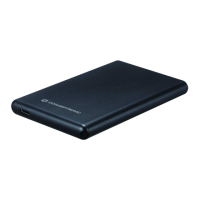
Conceptronic CHD2MUB, CHD2MUW
1.
Package contents
The following items are present in the package of the Conceptronic
2.5” Hard Disk Box:
• 2.5” Hard Disk Box
• USB 2.0 cable
• Multi language quick installation guide
2.
Installation & usage
Con n ect the 2.5” hard disk box to your co mputer
Connect the USB cable to the 2.5” hard disk box and to a free USB port on your computer.
The computer will automatically recognize and install the 2.5” hard disk box. No driver
installation is required.
Dis con nect the 2.5” hard disk box from yo ur computer
The 2.5” hard disk box must be removed safely before you disconnect it from your computer,
in order to prevent data loss.
Double click on the “Safely Remove Hardware” icon in your system tray.
The “Safely Remove Hardware” window will be shown.
Click on the connected 2.5” hard disk box (often listed as “USB Mass Storage Device”) and
click the “Stop” button.
Confirm the disconnection by clicking “OK”.
The 2.5” hard disk box is now safely removed from your computer. You can now disconnect the
2.5” hard disk box.
Enjoy the use of your Conceptronic 2.5” Hard Disk Box!



 To Next Page