English
Conceptronic CNB65, CNB90
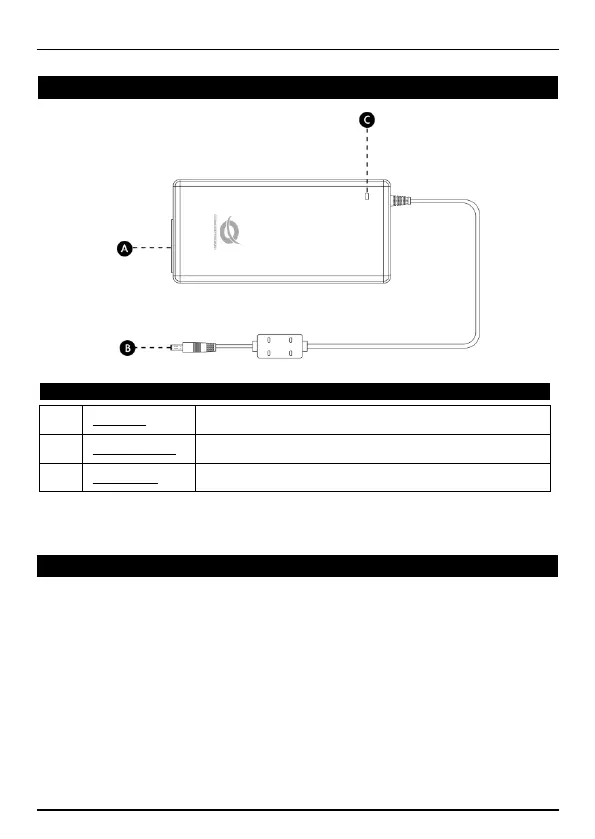
AC input connection to connect the power cable to the
notebook adapter.
Connector for one of the notebook tips included with
the notebook adapter .
Indicate the power status of the notebook adapter.
Select one of the 10 tips included with your notebook adapter.
Connect the tip to the tip connector of the notebook adapter.
Connect the notebook adapter cable with the connected tip to the DC input of
your notebook.
Connect the power cable to the AC input of the notebook adapter and to a
free wall outlet.
Your notebook is now powered by the notebook adapter and your notebook
battery is being charged.
Enjoy the use of your Conceptronic universal notebook adapter!



 To Next Page