English
Turn on your iPad, tablet or PC and go to the Bluetooth setting window.
The Bluetooth device will be showing on the iPad, tablet or PC. Select
“CSPKBTTL”.
Short press “ “ to play the next song and long press to increase volume.
Short press “ “ to play the previous song and long press decrease volume.
AUX IN audio input mode:
Turn the Power button to “ON”
Press the Mode button to enter AUX IN mode, the display screen will show
“AUX”.
Connect MP3/MP4 or PC to speaker, audio files play automatically.
TF Card music mode:
Insert a TF card, press Mode button to enter “TF Card Music Mode”, audio files
play automatically.
FM radio mode:
Connect USB cable to charging port as an FM radio antenna.
Press the Mode button to enter “FM” mode, long press “ ” button to auto
search.
Previous: to change “Previous frequency”
Next: to change “Next frequency”
Charging:
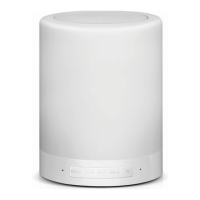
Please make sure the speaker is fully charged before first use. Charge the
speaker with the USB cable provided, which is compatible with any computer or
cell phone 5V output charger. The charge indicator light will be red while
charging, then when the battery is fully charged it will turn off.
Charge time: about 4 hours


 To Next Page
 Loading...