English
Conceptronic EMRICK04B
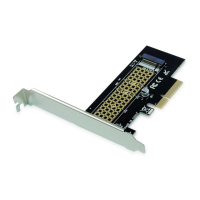
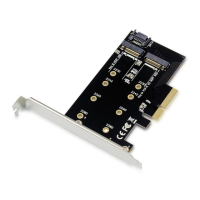
This 2-in-1 M.2 SSD PCIe Adapter is a multi-functional NVMe
conversion card, which can support the PCIe protocol NVMe SSD to
connect directly to the motherboard, or the SATA Protocol NVMe SSD to
connect to the motherboard SATA port with a SATA cable.
Installed the M.2 M Key SSD and M.2 B Key SSD into the PCIe
Adapter.
Turn Off the power to your computer.
Unplug the power cord and remove your computer’s cover.
Remove the slot bracket from an available PCIe slot.
To install the card, carefully align the card’s bus connector with the
selected PCIe slot on the motherboard. Push the board down firmly.
Used the SATA cable connect NVMe adapter to the motherboard
SATA port.
Replace the slot bracket’s holding screw to secure the card.
Replace the computer cover and reconnect the power cord.


 To Next Page