POWERING ON
To power on, press and hold the power
button for 3 seconds.
To power off, press and hold the power
button and select “Power Off” from the
menu that apears on the screen
BUTTON FUNCTIONS
Menu button: Show the available
menu in the current application.
Home Button: Returns to Home
screen. To view recent application
press and hold the button
Back button: Return to previous
screen
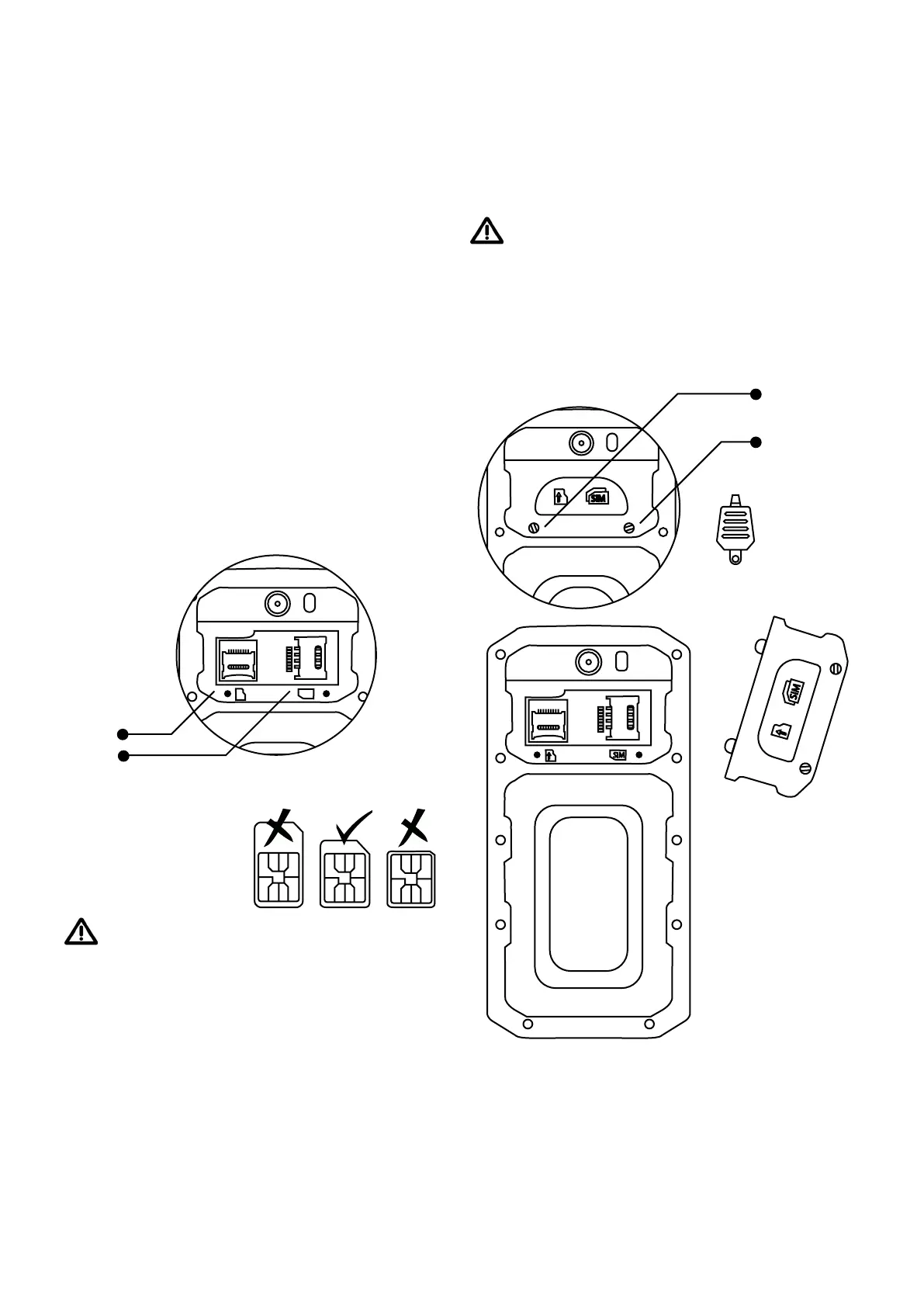
INSERTING SIM AND MICRO SD CARD
Always power off the device before
changing SIM or Micro SD memory
card
Remove the battery cover. Use the
supplied tool to rotate screws 1 & 2
anti-clockwise.
SIM
SIM
1
2
1
2
1. Micro SD memory card slot
2. SIM card slot
Always use the right size of SIM Card



 To Next Page