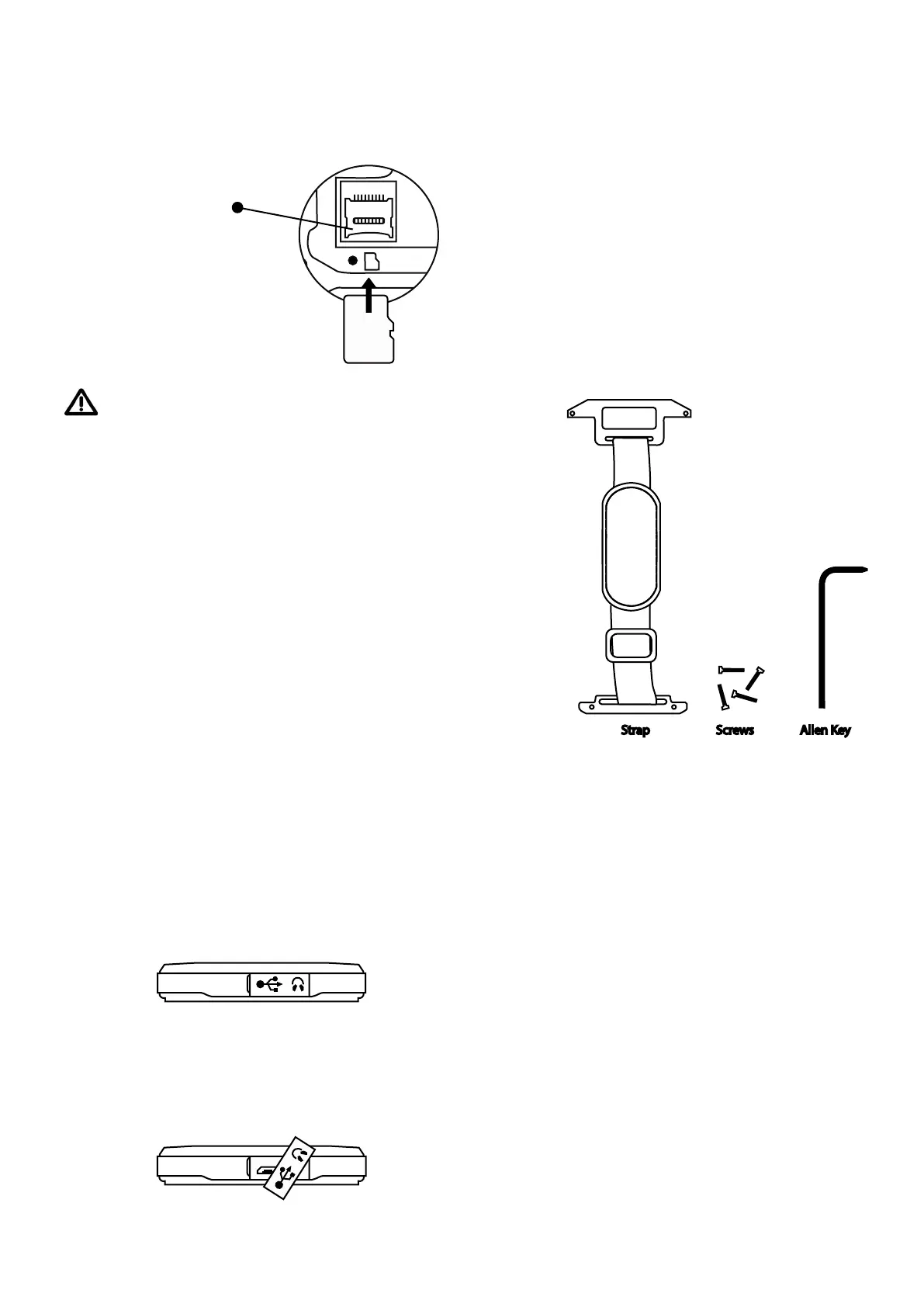
MICRO
SD
INSERTING YOUR MICRO SD MEMORY
CARD
Slide the cover
down to release.
Then insert the Micro
SD card with gold con-
nectors facing down as
shown in this diagram. Close
cover slide up to lock.
When putting the back cover back on,
do not overtighten the screws
CHARGING YOUR PHONE
Your phone can be charged in two
ways, either using the magnetic charg-
ing port or by connecting a micro USB
cable. The easiest method is with the
magnetic charging cable.
The magnetic charging cable connects
to the magnetic charging port on the
left edge of your phone.
Alternatively you can charge your
phone using the micro USB port.
Connecting to a PC
To connect your device to a PC you
must first loosen the port cover at the
top of the phone.
The port cover remains connected to
your phone, please take care not to
pull it off completely.
INSTALLING HAND STRAP
You will find the following supplied in
the box.
Step 1
Using the Allen Key, remove screws
numbered 1, 2, 3 & 4 at the back of
the device.



 To Next Page