EN
USER MANUAL
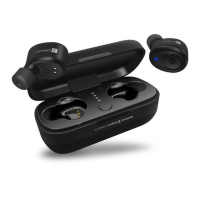
BLUETOOTH EARPHONES
CEP-9100-BK • CEP-9100-SL
CEP-9100-RD • CEP-9101-GD
6. Take off both earbuds from the charging case:
Left earbud should blink red and blue
Right earbud should blink blue only
7. Now both aerbuds are paired successfully and ready to use. Find it in Bluetooth section of your mobile phone and connect it.
Mulfunconal buon
The multifunctional button on any of the earbuds is used to access the following functions:
Note:
The functions specified in this manual are available depending on the paired phone.
Activate Siri or Google Assistant long press (1.5 seconds)
Accept a call short press
Reject a call long press (1.5 seconds)
Terminate a call short press
Play / pause short press
Previous song click three times
Next song double-click


 To Next Page