CHAPTER 3 OPERATION
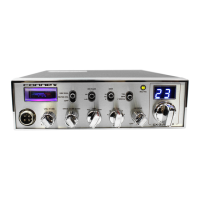
5. RF GAIN CONTROL:
This control is used to reduce the gain of the RF
amplifier under strong signal conditions.
CONTROL FUNCTIONS
FRONT PANEL
106
*mté
OWN
11=1
HI
V
L
LO
(9
TA
OFF
r-~
N
B B
FF
Qr
,
()
•
4}(
--
'
-
CX-33
5
HP
S
9
0
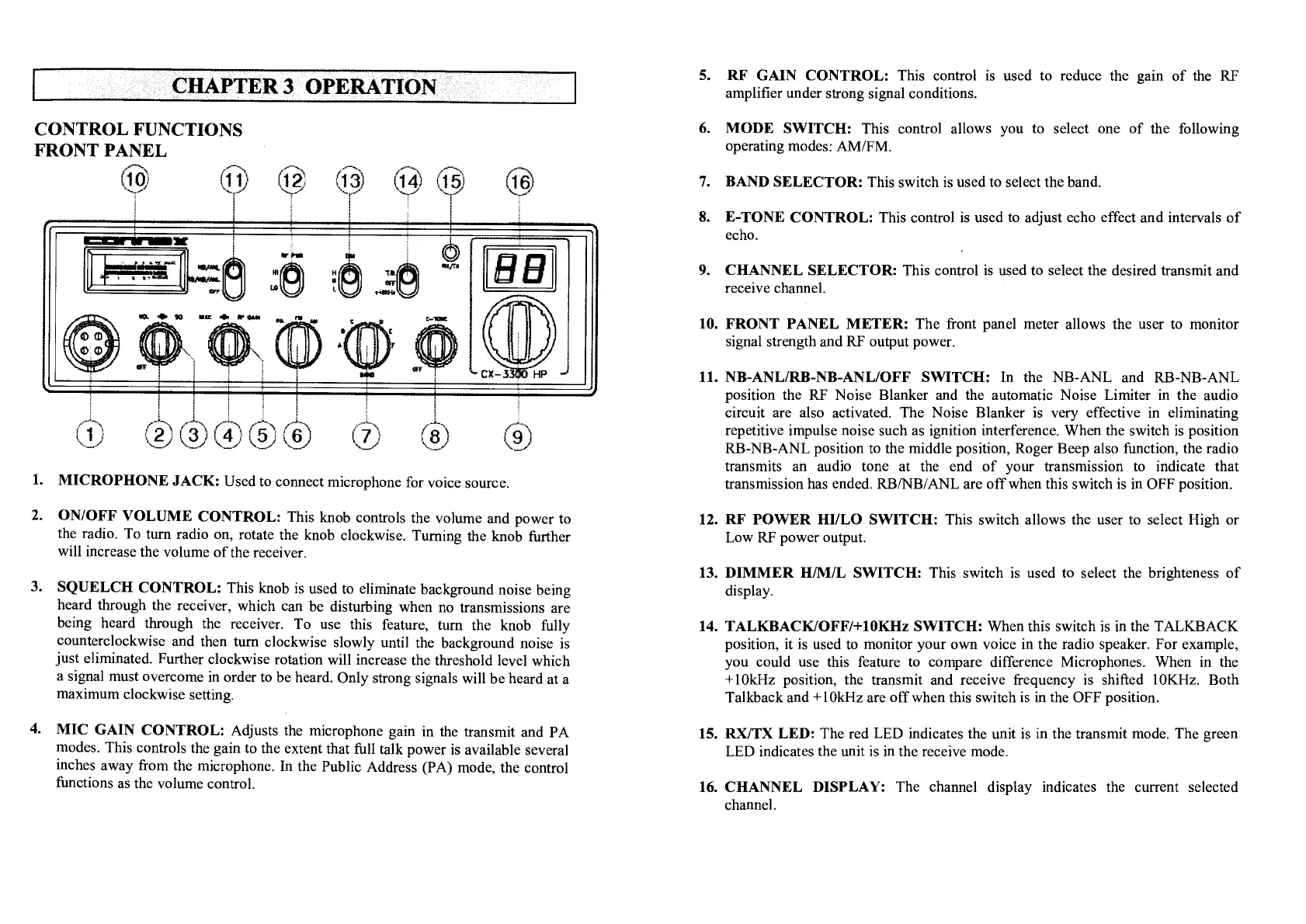
I. MICROPHONE JACK:
Used to connect microphone for voice source.
2.
ON/OFF VOLUME CONTROL:
This knob controls the volume and power to
the radio. To turn radio on, rotate the knob clockwise. Turning the knob further
will increase the volume of the receiver.
3.
SQUELCH CONTROL:
This knob is used to eliminate background noise being
heard through the receiver, which can be disturbing when no transmissions are
being heard through the receiver. To use this feature, turn the knob fully
counterclockwise and then turn clockwise slowly until the background noise is
just eliminated. Further clockwise rotation will increase the threshold level which
a signal must overcome in order to be heard. Only strong signals will be heard at a
maximum clockwise setting.
4.
MIC GAIN CONTROL:
Adjusts the microphone gain in the transmit and PA
modes. This controls the gain to the extent that full talk power is available several
inches away from the microphone. In the Public Address (PA) mode, the control
functions as the volume control.
6.
MODE SWITCH:
This control allows you to select one of the following
operating modes: AM/FM.
7.
BAND SELECTOR:
This switch is used to select the band.
8.
E-TONE CONTROL:
This control is used to adjust echo effect and intervals of
echo.
9.
CHANNEL SELECTOR:
This control is used to select the desired transmit and
receive channel.
10.
FRONT PANEL METER:
The front panel meter allows the user to monitor
signal strength and RF output power.
11.
NB-ANL/RB-NB-ANL/OFF SWITCH:
In the NB-ANL and RB-NB-ANL
position the RF Noise Blanker and the automatic Noise Limiter in the audio
circuit are also activated. The Noise Blanker is very effective in eliminating
repetitive impulse noise such as ignition interference. When the switch is position
RB-NB-ANL position to the middle position, Roger Beep also function, the radio
transmits an audio tone at the end of your transmission to indicate that
transmission has ended. RB/NB/ANL are off when this switch is in OFF position.
12.
RF POWER HI/LO SWITCH:
This switch allows the user to select High or
Low RF power
output.
13.
DIMMER
HIM/L
SWITCH:
This switch is used to select the brighteness of
display.
14.
TALKBACKIOFF/+10KHz SWITCH:
When this switch is in the TALKBACK
position, it is used to monitor your
own
voice in the radio speaker. For example,
you could use this feature to compare difference Microphones. When in the
+10kHz position, the transmit and receive frequency is shifted 10KHz. Both
Talkback and +10kHz are off when this switch is in the OFF position.
15.
RXITX LED
The red LED indicates the unit is in the transmit mode. The green
LED indicates the unit is in the receive mode.
16.
CHANNEL DISPLAY:
The channel display indicates the current selected
channel.


 To Next Page