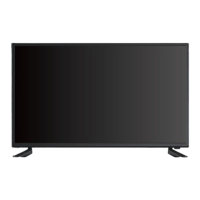
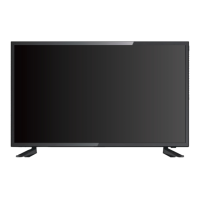
This document serves as an instruction manual for a Connex HD LED TV, model CX24A19, providing comprehensive guidance on its setup, operation, and maintenance. It begins with crucial safety instructions, emphasizing precautions to ensure safe installation and use, and then delves into the practical aspects of setting up and operating the television.
The manual outlines the initial setup process, starting with connecting the stand to the TV. It provides clear instructions for securely attaching the base stand using the provided screws, cautioning users to avoid damaging the screen during this process. For those opting to mount the TV on a wall, detailed steps are provided, including how to assemble the wall mount adapter, install it on the wall, attach the wall mount brackets to the TV's rear cabinet using VESA screws, and finally, buckle the brackets with the TV into the adapter. A table is included to help users select the correct VESA screw hole specifications based on the TV size in inches, ensuring proper and secure wall mounting.
Following the physical setup, the manual moves to the orientation of the TV, detailing the controls and inputs. It identifies the functions of the buttons located on the TV itself, such as INPUT (to select the input source), MENU (to enter the main menu), CH+ and CH- (to skip to the next or previous channel), VOL+ and VOL- (to increase or decrease the volume), and the power button (to switch the TV on/off). The document also provides a comprehensive overview of the various input and output jacks on the TV, explaining their purposes. These include HDMI IN (ARC) for high-definition connections, RF IN for antenna/cable, USB for media playback, AUDIO OUT (L-R) for audio devices, EARPHONE OUT for headphones, OPTICAL OUT for digital audio, L-AUDIO-R IN for composite audio, Y VIDEO/Pb/Pr for component video, VGA IN for PC connections, and PC AUDIO IN for computer audio.
A significant portion of the manual is dedicated to the remote control, offering a detailed breakdown of its layout and the function of each key. Key functions include POWER (standby/on), INPUT (source selection), S.MODE (sound mode), P.MODE (picture mode), FREEZE (static picture), SLEEP (sleep timer), number buttons (0-9 for direct channel selection and teletext page numbers), --/- (program number with different digits), (swap to previous program), INFO (display channel information), VOL+/- (volume control), PROG+/- (channel scan/selection), MUTE (mute/unmute), MENU (main menu), EXIT (exit menu/sub-menu), navigation buttons (▲/▼/◄/►/ENTER for menu navigation and system settings), CCD (closed caption mode), (play/pause/timeshift), EPG (Electronic Program Guide), (stop playing/recording), (previous track/chapter), (next track/chapter), (previous display), (next display), GOTO (jump to specific time), A-B (A-B repeat), REPEAT (repeat playback modes), ZOOM (display window settings), CH. LIST (program list), FAV.LIST (favorite channel list), FAV (favorite channel), and MTS (MTS sound system). Instructions for loading batteries into the remote control are also provided, specifying the use of two AAA-size batteries and correct polarity.
The "Main Menu Operation" section guides users through the TV's on-screen menus. The "Setup Wizard" is the first menu encountered, prompting users to connect the RF cable, set the TV location (Home or Retail mode), and select the preferred language. The manual explains how to navigate these options using the remote control's directional and ENTER buttons. It also covers the "Select Time" settings within the Setup Wizard, allowing users to choose the time zone, daylight saving time, and time format. The "Auto Scan" feature is detailed, instructing users to select the antenna type (Air/Cable) and initiate an automatic channel scan.
Beyond the initial setup, the manual covers various other main menus. The "Setup Menu" allows users to adjust settings such as Menu Language, Transparent (OSD transparency), OSD Timeout, Closed Caption, Over Scan, Source Label, Other Settings, Restore Default, Setup Wizard, Voice Guidance, and Video Description. The "Picture Menu" provides options to customize Picture Mode (Standard, etc.), Brightness, Contrast, Color, Tint, Sharpness, Color Temperature (Cool, etc.), and Advanced Settings. The "Sound Menu" enables adjustments for Sound Mode (Standard, etc.), Treble, Bass, Balance, MTS, Audio Languages, Digital Audio Output, Surround Sound, AVL, Speaker settings, and Accessibility. The "Time Menu" includes settings for Sleep Timer, Time Zone, Daylight Saving Time, Time Format, Auto Clock, and Clock. The "Lock Menu" offers security features such as Change Password, Key Lock, System Lock, Input Block, US Rating, Canada Rating, RRT Setting, and Reset RRT, with a default password of 0000. The "Channel Menu" allows users to manage Air/Cable settings, Auto Scan, Favorite channels, Channel List, Show/Hide channels, Channel Number, and Channel Label.
The "Media Menu" section provides instructions for playing media files from a USB device. Users are guided to plug in the USB device, select "Media" as the input source, and then navigate through the Photo and Music options. For photos, the manual explains how to select files, view information, and preview pictures. For music, it details how to select files, add them to a playlist, display file details, and control playback functions like pause, fast forward, rewind, previous/next track, stop, repeat, and playlist management. It also describes how to hide the media menu.
Finally, the manual includes a "Trouble Shooting" section, offering solutions to common problems such as the TV not operating (power cord, AC outlet, fuse, circuit breaker), normal picture but no sound (volume, mute, channel, audio cable connections), remote control not working (range, batteries, operating mode), poor sound or no sound (station/cable problems, sound adjustments, interference), poor picture or no picture (station/cable problems, channels in memory, antenna/cable connections, interference, picture control adjustments), poor TV reception (antenna amplifier, antenna position, antenna connection, distribution box, RV coax jump cable), poor cable/satellite TV reception (antenna amp, incoming cable, splitter box, RV coax jump cable, dish obstruction), TV shuts off (sleep timer, power interruption), and TV AV input plays black and white (RCA connections, yellow connection).
The "Customer Support" section outlines the warranty information, including a limited 1-year warranty for parts and 90 days for labor, and specifies what is covered and not covered (e.g., damage from misuse, improper installation, cosmetic damage). It also provides contact information for obtaining service in the U.S. and internationally, emphasizing the importance of using original packaging for returns.



 To Next Page
 General