Need help?
Do you have a question about the Connex CX22A19DC and is the answer not in the manual?
General safety precautions for installation, use, and maintenance of the equipment.
Technical details of the TV model, including screen size and resolution.
List of items provided with the TV, such as remote and batteries.
Instructions for attaching the TV stand securely.
Guidance on inserting batteries into the remote control.
Overview of physical buttons on the TV and their functions.
Description of all available input and output ports on the TV.
Detailed explanation of each button on the remote control.
Step-by-step guide for initial TV configuration and channel scanning.
Overview of the main setup options available on the TV.
Adjusting picture settings like contrast, brightness, color, and sharpness.
Customizing audio settings such as sound mode, volume, and equalizer.
Managing time-related settings including sleep timer and clock.
Setting up parental controls and channel lock features.
Configuring channel settings, including auto scan and favorites.
Accessing and playing media files from connected USB devices.
Details of the product's limited warranty coverage and terms.
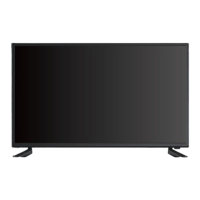
The Connex FHD LED TV, model CX22A19DC, is designed for household use, offering a range of features for an enhanced viewing experience. This instruction manual provides comprehensive guidance on its setup, operation, and maintenance, ensuring safe and optimal performance.
The Connex FHD LED TV serves as a primary display unit for various media sources. It supports full high-definition (FHD) content, delivering clear and vibrant images. The TV can receive signals from an antenna, cable, or cable box, allowing access to a wide array of channels. Additionally, it features a USB port for media playback, enabling users to view JPEG images, listen to MP3 audio, and watch MPEG1, MPEG2, and MPEG4 video files directly from a USB flash drive.
Multiple input options expand its functionality, including HDMI (ARC) for high-definition audio and video, VGA for connecting to a personal computer, and Y/Pb/Pr for component video input. Audio inputs and outputs, such as PC Audio In, Headphone Jack, Optical Out, and Audio Out, provide flexibility for connecting external audio devices or using headphones for private listening. The TV also includes a 12V DC input, making it suitable for various power setups, including those found in RVs.
The TV's main menu operation is intuitive, guided by a Setup Wizard that assists with initial configuration, including language selection, input source setup, and channel scanning. Users can customize picture and sound settings to their preferences, manage channels, and set time-related functions like a sleep timer. A lock menu provides parental control options, allowing users to set passwords and restrict access to certain content based on ratings.
The TV offers a user-friendly interface accessible via both on-device controls and a remote control. The on-device controls include buttons for input selection, menu access, volume adjustment (VOL+/-), channel navigation (CH+/-), and power on/off.
The remote control provides extensive functionality, mirroring and expanding upon the on-device controls. Key remote features include:
The Setup Wizard guides users through initial settings, including choosing between "Home Mode" (energy saving) and "Retail Mode." It also facilitates the setup of menu language, air/cable input, cable system type, and automatic channel scanning.
The Picture Menu allows adjustments to picture mode (e.g., Energy Saving), contrast, brightness, color, tint, sharpness, color temperature, and blue screen settings. The Sound Menu provides options for sound mode (e.g., Standard), bass, treble, balance, surround sound, auto volume, SPDIF type, audio languages, and accessibility features like Voice Guide. The Time Menu enables setting the sleep timer, time zone, daylight saving time, time format, auto clock, and current clock display. The Lock Menu offers password protection, system lock, input block, RRT settings, and the ability to reset RRT or clear the lock. The Channel Menu allows users to manage air/cable settings, auto scan, favorite channels, show/hide channels, channel numbers, channel labels, and DTV signal information.
The manual emphasizes several safety precautions crucial for the TV's longevity and user safety. These include:
The manual also provides troubleshooting steps for common issues such as the TV not operating, normal picture but no sound, remote control not working, poor sound or picture, poor TV reception, poor cable/satellite TV reception, TV shutting off, and TV AV input playing black and white. These steps guide users through checking connections, settings, and potential interferences, helping to resolve minor issues without professional assistance.
For battery replacement in the remote control, users are instructed to remove the lid, insert two AAA batteries with correct polarities, and replace the lid. This simple procedure ensures continuous remote functionality. The warranty information outlines coverage for defects in workmanship and materials for a specified period, with services provided by qualified personnel.
 General
| Screen Size | 22 inches |
|---|---|
| Display Technology | LED |
| Aspect Ratio | 16:9 |
| Refresh Rate | 60 Hz |
| HDMI Ports | 1 |
| USB Ports | 1 |
| VGA Port | 1 |
| Audio Output | 2 x 3W |
| Resolution | 1920 x 1080 |

 To Next Page