EasyManua.ls Logo

Consort CRXSL-05 - User Manual

Default Icon
6 pages
Print Icon
To Next Page IconTo Next Page
Loading...
1
I3984133 Iss 05
1. Introduction
Please read this guide carefully and retain for future use and maintenance.
Installation and User Guide
CRXSL
Single Zone
Wireless Controller
-05
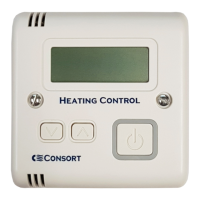
The control buttons perform the following basic functions:
Decrease / Increase value: by default this adjusts the set temperature. When the set temperature is adjusted
above the measured room temperature, the heater active symbol is shown and any paired heaters are
switched on.
Mode: cycle through operating modes Boost, Manual, Setback and Program (see sections 6-9).
By default Setback mode is disabled (see section 8).
Fan: cycle through fan speed settings (for fan heaters only). No fan symbol shown means low speed, one fan
symbol is medium speed, two fan symbols is high speed.
Pressing fan when heating is inactive will activate fan only mode (for compatible fan heaters).
In fan only mode, FAN is shown on the display. Exit fan only mode by cycling through the fan speed
settings until FAN is not shown.
Programme: used for advancing programme, setting the time and accessing programming menu.
Important display icons:
Heat icon: this is displayed when the heating is active. RX heaters will operate at reduced heat output when
close to the set temperature, and half the icon is shown:
Lock symbol: this is displayed when the CRXSL controls are locked. Hold and together for 5 seconds to
unlock or lock the controls.
ALARM!
Flashes to indicate an error in the programme setup, e.g. the time for programme 2 is set earlier than the
time for programme 1.
2. Getting to know your CRXSL wireless controller
The CRXSL Wireless Controller can control any ‘RX’ or ‘SL’ heater, including multiple products at the same time.
The CRXSL must be paired to each heater, otherwise the heaters will not work
(see section 3).
For options for powering the CRXSL see section 18.
buons
Question and Answer IconNeed help?

Do you have a question about the Consort CRXSL-05 and is the answer not in the manual?

Summary

Introduction

Getting to Know Your CRXSL Wireless Controller

Pairing CRXSL with Heaters

Sequence 1

Procedure to set the heater into pairing mode and then pair with CRXSL.

Sequence 2

Procedure to set the heater into pairing mode and then pair with CRXSL.

Time and Day Setting

Disable

Manual Mode

Boost Mode

Setback Mode

Automatic Time Mode (PROG)

Set Programme

Set Programme Active;Inactive

Copy Day Function

Fan Speed Settings

RXREC Compatibility Mode

MRX1 Multizone Controller

Choosing a Position in a Room

Power Options

Batteries

Power Adapter for Fixed Installation

Open Window Detection

Manual Control Mode

Setup Menu

Customer Helpline

Simplified Automatic Mode

Overview

The Consort CRXSL-05 is a single-zone wireless controller designed to manage 'RX' or 'SL' heaters, including multiple units simultaneously. Its primary function is to provide precise control over heating schedules and temperatures, offering both automatic and manual operating modes.

Function Description:

The CRXSL-05 acts as a central control unit for compatible heaters. It communicates wirelessly with paired heaters, allowing users to set desired temperatures, program heating schedules, and adjust fan speeds (for fan heaters). The controller features a clear LCD display that shows essential information such as the current day, time, set temperature, room temperature, operating mode, and various status icons.

Key Operating Modes:

  • PROG (Automatic Time Mode): This is the primary mode for scheduled heating. Users can set up to six programming steps for weekdays/weekends, or opt for a 7-day or 24-hour format for more granular control. The controller follows a pre-set time and temperature programme. Temperature overrides are possible, maintaining the new setting until the next programme step. The "Copy Day" function allows users to duplicate heating programmes from one day to another, saving time during setup.
  • MAN (Manual Mode): In this mode, the set temperature and fan speed remain constant until manually changed. This is suitable for continuous heating at a desired level.
  • BOOST Mode: This temporary override mode allows users to boost the set temperature and/or fan speed for a specified duration (default 15 minutes, adjustable up to 4 hours). After the timer expires, the controller reverts to the previous operating mode.
  • SETB (Setback Mode): This mode is designed for frost protection or maintaining a minimum room temperature. It can also be used to disable heating completely by lowering the temperature below 4°C, displaying "---" on the screen. Setback mode is disabled by default and can be enabled through the setup menu (Setting 06 to 1).
  • Manual Control Mode (Selected Heaters Only): For specific heaters, the CRXSL-05 can operate in a dedicated manual control mode where heat and fan settings are manually adjusted, and the room temperature is not used to switch heaters. This mode allows for direct control over heat output (H0, H1, H2, H3) and fan speed (F0, F1, F2, F3). Boost mode and programming features are also available within this manual control mode. This mode is accessed by changing setup menu Setting 06 to 2.
  • Simplified Automatic Mode: By default, the CRXSL-05 operates in a simplified automatic mode, displaying only essential information to avoid overwhelming the user. A full automatic mode, showing all information including room temperature, target temperature, time, day, and operating mode, can be enabled via the setup menu (Setting 06 to 1).

Important Technical Specifications:

  • Power Options: The CRXSL-05 can be powered by either a 5V power adapter with a micro USB connector (supplied), via a USB port, or by 4 AAA batteries. Two USB ports are available: one on the bottom and one at the back.
  • Battery Backup: When powered by the adapter, 2 AAA batteries can be used to maintain the clock during power cuts. These should be replaced annually.
  • Temperature Calibration: The temperature reading can be recalibrated in 0.5-degree steps via the setup menu (Setting 01) to compensate for power adapter influence or achieve better accuracy.
  • Temperature Range: Minimum and maximum set temperatures can be configured (Settings 03 and 04).
  • Open Window Detection: An optional feature (Settings 07-11) that automatically turns off heating when a sudden temperature drop (e.g., 2°C in 10 minutes) is detected, indicating an open window or door. It reactivates heating when a temperature rise (e.g., 2°C in 30 seconds) is detected.
  • Compatibility: Compatible with 'RX' and 'SL' heaters. Also features an RXREC compatibility mode (Setting 14 to 1) and is compatible with the MRX1 Multizone controller.

Usage Features:

  • Pairing: The controller must be paired with each heater to function. Two pairing sequences exist, depending on the heater model ('RX' with last two digits <10 uses sequence 1; 'RX' with last two digits >=10 or 'SL' uses sequence 2).
  • Control Buttons:
    • Up/Down Arrows: Adjust values (e.g., set temperature, minutes, hours, day). When set temperature is above room temperature, the heater active symbol appears, and paired heaters switch on.
    • (M) Mode Button: Cycles through operating modes (Boost, Manual, Setback, Program).
    • Fan Button: Cycles through fan speed settings (low, medium, high) for fan heaters. Pressing it when heating is inactive activates fan-only mode.
    • (P) Programme Button: Advances programme, sets time, and accesses the programming menu.
  • Child-Lock: Controls can be locked/unlocked by holding the Up and Down arrows together for 5 seconds.
  • Disable Function: Pressing and holding (M) for 2 seconds disables the CRXSL operation until re-enabled, displaying only day and time.
  • Alarm Notification: A flashing ALARM! icon indicates errors in programme setup (e.g., programme 2 time set earlier than programme 1).
  • Status Light on Heater: Provides visual feedback on heater status (stand-by, reduced heat, full power, ready for pairing, fault/overheating).

Maintenance Features:

  • Battery Replacement: Remove the battery cover and insert 4 new high-quality alkaline AAA batteries. Batteries should be replaced annually, even without a low battery warning, to prevent corrosion and leakage. Avoid mixing old and new batteries or different brands.
  • Power Adapter Installation: For fixed installations, the supplied power adapter fits a 35mm or 25mm metal/dry lining back box. It should be connected to wiring protected by a 6A fuse or circuit breaker. The USB connector must be correctly positioned.
  • Placement: The CRXSL should be fixed to a wall or used with a table-top stand. Avoid draughts, direct sun, proximity to heaters or other heat sources, and damp or mechanically damaging areas.
  • Factory Reset: A full reset to factory settings can be performed via the setup menu (Setting 12) by pressing and holding the Up arrow for 10 seconds.
  • Software Version: Information about the software version is available in the setup menu (Setting 05).

Consort CRXSL-05 Specifications

General IconGeneral
BrandConsort
ModelCRXSL-05
CategoryController
LanguageEnglish

Related product manuals