Manual Electrophoresis Power Supply, rev. 32/2018
8
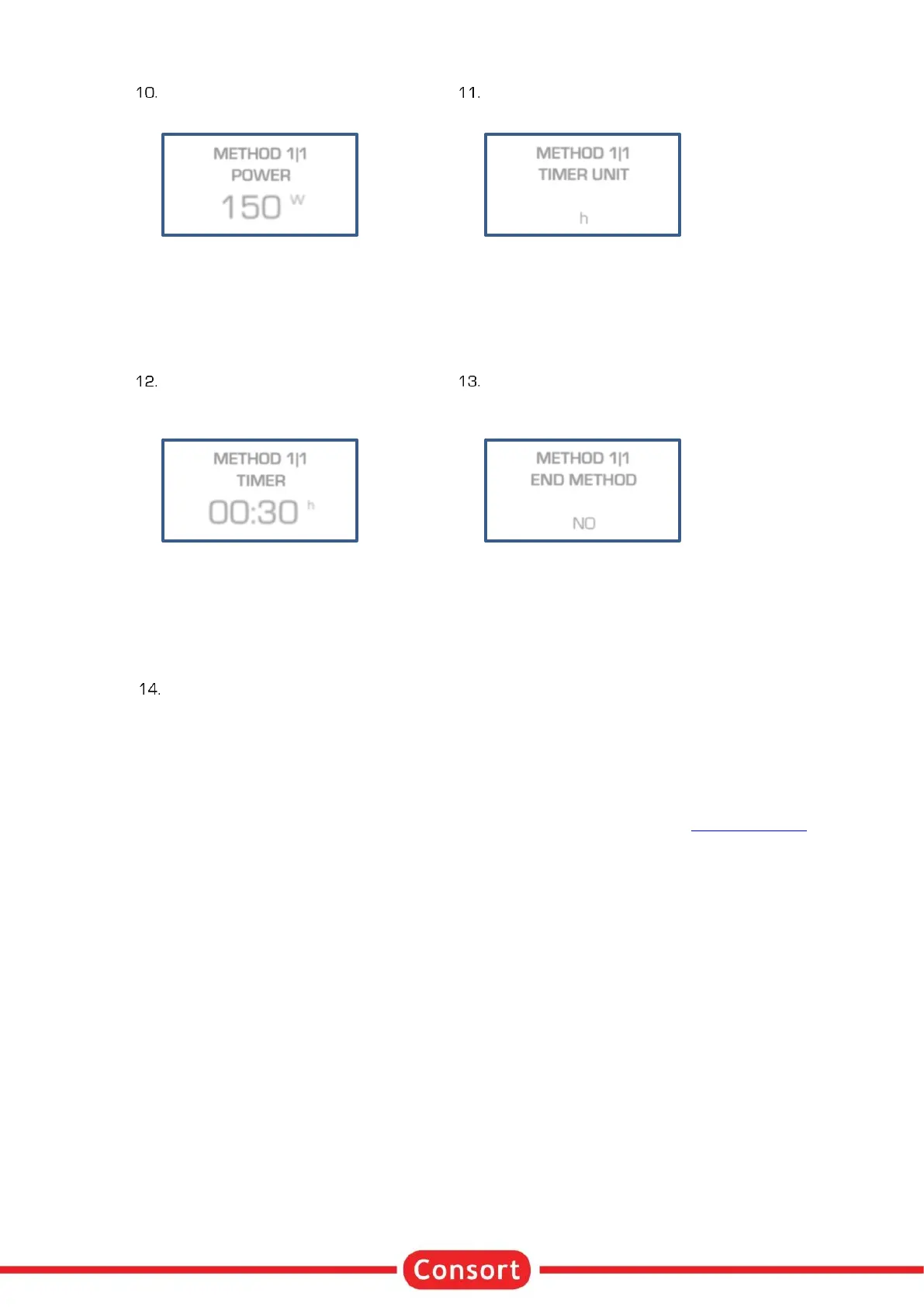
Enter the desired power limit
and press ✓:
This limit is automatically set to its
maximum and cannot be changed in
case of a Voltage gradient step.
Enter the desired timer unit (h or kVh)
and press ✓ :
h
The timer will count in hours and
minutes.
kVh
The timer will run in kiloVolthours.
Enter the desired timer value
and press ✓ :
The value format is hh:mm when
entering a value in hours (h). The
kiloVolthours (kVh) are entered as a
value with two decimal places.
Decide if the experiment should
automatically proceed with a next step,
press ✓ :
Choose NO to resume at point 6 to
proceed with the next step, choose
YES to stop after this step.
Press / to start the experiment.
• At any time, you can return to the main menu by holding ✓ pressed.
• At any time, you can avoid programming unnecessary parameters. Simply press / instead of ✓
after entering the last relevant value and the instrument will immediately start the experiment. The
other parameters are kept to their previous programmed values.
• To ensure that the desired parameter is kept constant, we recommend to preset all other
parameters to their maximum.
• The behaviour of the power supply during a procedure is described in the chapter Running Condition.



 To Next Page