14 15
ACTIVATION AND SETUP
STEP 1: ACTIVATE YOUR ALLY
1. Plug the small round end of the
Power Cord into the Power Port
located in the back of the Charger.
Plug the large end of the Power
Cord into a standard wall outlet.
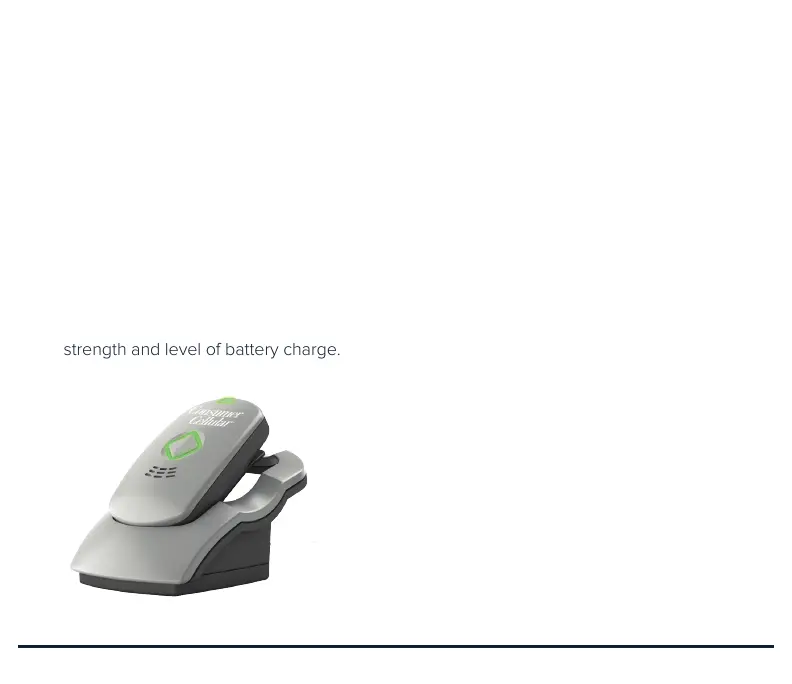
2. Place your Ally into the Charger.
While charging, the Cellular and
Battery Indicators will be on and
show your current cellular signal
strength and level of battery charge.
3. Your Ally will automatically turn on
when placed in the Charger and will
play a short start-up tone, followed
by a message indicating it is ready
for its first use: “We are activating
your personal mobile responder.
We will notify you when activation
is complete.”
Your Ally will automatically receive
any updates and, once activated
on the cellular network, will say:
“Activation is now complete. We
are resetting your personal mobile
responder so it is ready for your use.
One moment please.” Allow up to a
minute for your Ally to restart.
4. Your Ally will then play a message:
“This personal mobile responder will
notify your response team when it
detects a fall. With one touch of the
call button your response team will
be available to assist you and will
pinpoint your location so help can
reach you.”


 To Next Page