3
2.CHARGE THE BATTERY
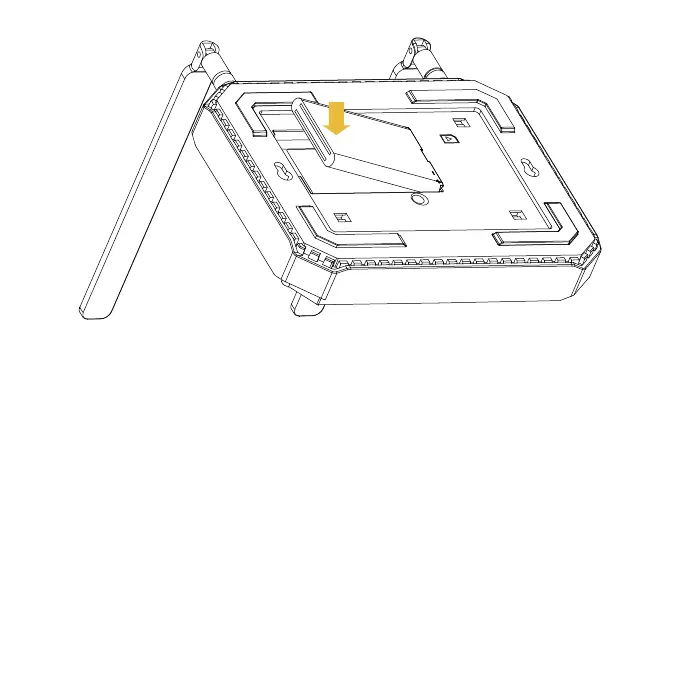
b. Insert the battery by aligning the golden contacts on the
battery with the contacts in the battery compartment.
Gently push down on the battery until it clicks into place.
c. Replace the back cover.
a. Connect the charging cable to the charging port on the
device.Do not force the connector into the charging port.
b. Plug the power cable in to a standard power outlet.


 To Next Page