5
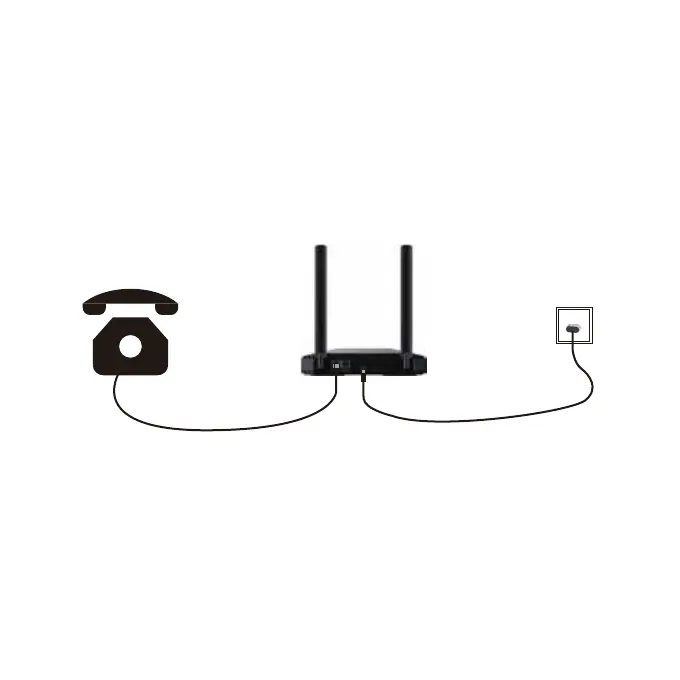
4.CONNECT A PHONE
a.Your device works with your wireless service provider’s
cellular network.
Place your device in an area where there is a strong
signal, typically near a window or wall.
b.Connect your phone line to port 1 or port 2 on the Verve
Home Phone Base.
c.Press and hold power for more than 3 seconds to power
on the device, the power light will turn green. Now you can
make and receive calls from your phone!


 To Next Page