IV. USE OF INSTRUCTIONS
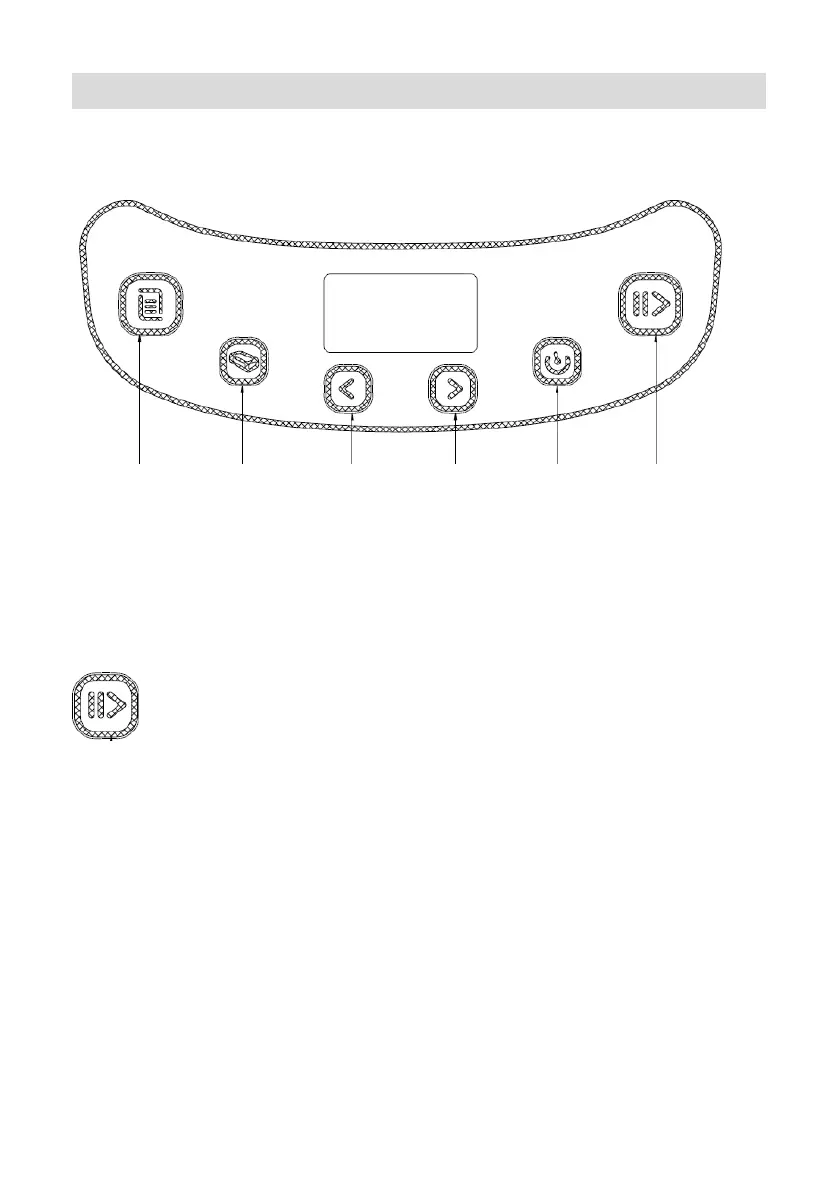
A. CONTROL PANEL
MENU SIZE OF BREAD TIME + TIME -
COLOR
START / STOP
START
As soon as the bread maker is connected, a beep sounds and "3:10"
appears on the display after a short time. But the two dots between the
"3" and "10" are not constantly flash. The arrow indicates 900g and
AVERAGE. This is the default setting.
: START / STOP
To start and stop the selected baking program.
To start a program, press once on the "START / STOP". A short beep
sounds and the colon of the time display begin to flash, the program
starts. After the start of a program, the other buttons are disabled except
the "START / STOP" button.
To stop the program, press the "START / STOP" button for approx. 3
seconds until a beep confirms that the program has been deactivated.
The duration of 3 seconds required to shutdown the program prevents
you stop inadvertently bread maker before the end of the program.



 To Next Page