23
Music Menu
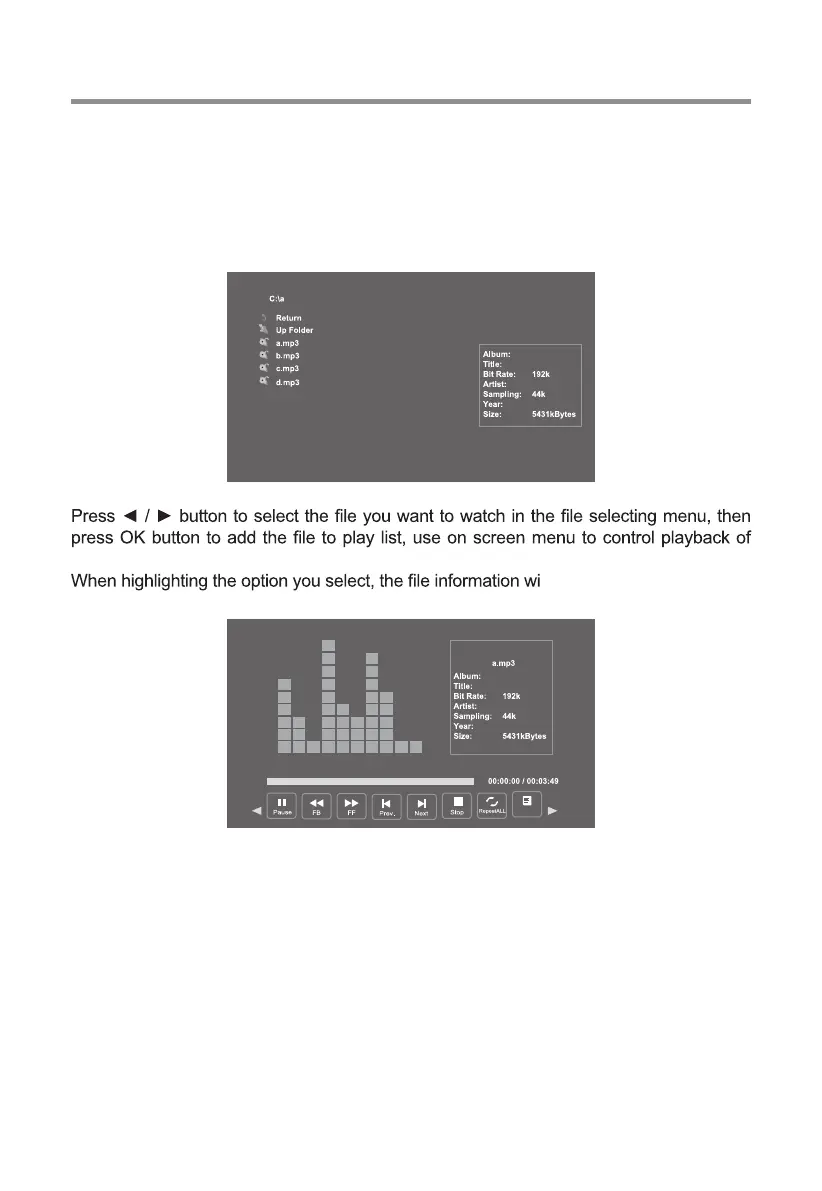
Press ◄ / ► button to select MUSIC in the main menu, then press OK button to enter.
Press clear button to return to the previous menu.
Press ◄ / ► button to select drive disk you want to watch, then press OK button to enter.
media.
ll appear on the right.
USB Operation
Press ◄ / ► button to select menu in the bottom you want to run, then press OK button
to operate.
Press clear button to return to the previous menu.
Playlist


 To Next Page