7
ContourROAM User Manual
+
ROTATING FLAT SURFACE MOUNT
+ It is best to adhere the mount to any surface at room temperature.
+ Locate the best spot for your camera. The mounting area
should be smooth and flat.
+ Clean the surface with alcohol and adhere mount.
The adhesive takes up to 24 hours to fully cure.
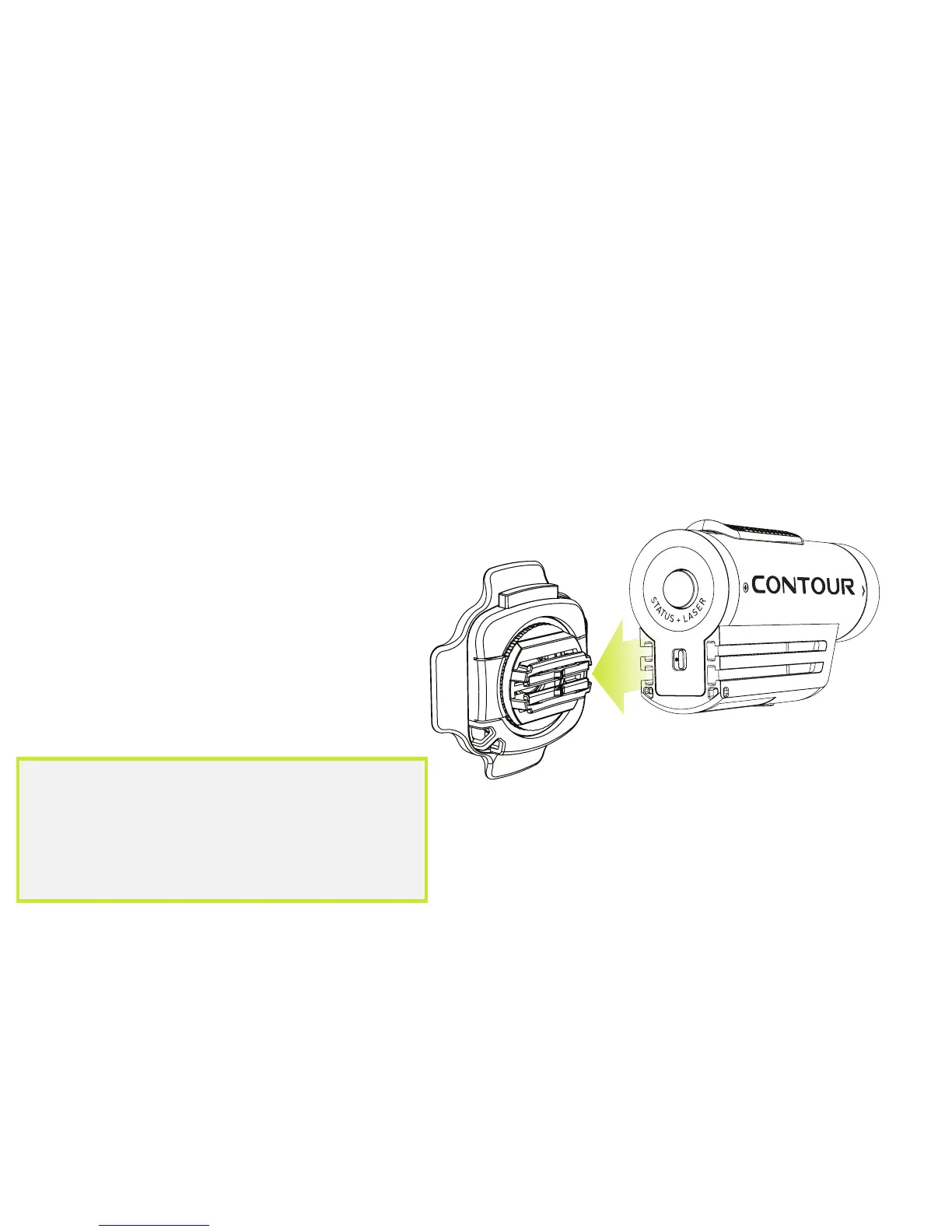
+ Slide your camera onto the rails all the
way to the front of the camera.
+ Unlock the mount and rotate
camera to the perfect angle.
+ Press “Lock” to lock the
camera into place.
Note: Before using any of our mounts
in recreational activities, you need to
determine if the holding power of the mount
is appropriate and safe. Contour does not
warrant lost or damaged cameras.


 To Next Page