Need help?
Do you have a question about the Control 4 C4-KA and is the answer not in the manual?
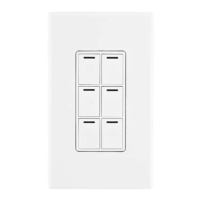
Identifies the specific model of the Control4 Auxiliary Keypad.
Describes the intended use and connection of the Auxiliary Keypad with a Control4 system.
Lists the items included in the product package for installation.
Lists Control4 dimmers, switches, and controllers compatible with the Auxiliary Keypad.
Turn off electrical power before installation or servicing to prevent injury or damage.
Device must be protected by a 20A maximum circuit breaker.
Ground device per NEC; use ground wire for secure connection to the electrical system.
Installation must be by a licensed electrician per national/local codes.
Consult a qualified electrician if unsure about any part of the instructions.
Use only copper or copper-clad wire; aluminum wiring is not approved.
Install in accordance with all applicable national and local electrical codes.
Using product differently voids warranty; Control4 not liable for misuse.
Do not use power screwdriver to avoid stripping screws or mechanical issues.
Handle this electronic device with intricate components with care.
Provides key technical details including model, power, temperature, and dimensions.
Turn off local electrical power via circuit breaker or fuse and verify with voltage detector.
Strip wire insulation back 5/8 of an inch from the wire end.
Connect keypad wires to wallbox wires using wire nuts as per configurations.
The yellow wire is for connecting to a compatible Control4 load control device only.
Attach sub-plate to devices in multi-gang installations before attaching devices to wallbox.
Bend wires in a zigzag pattern to easily fold them into the wallbox.
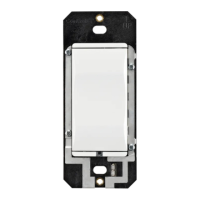
Align keypad to wallbox and fasten with screws, tightening until yoke plate is flush.
Install Control4 Faceplate or a standard Decora-style faceplate.
Turn power back on at the circuit breaker or by replacing the fuse.
Check circuit breaker, wiring, or contact electrician/support if keypad does not control load.
Do not paint keypad; use a soft damp cloth for cleaning, avoid chemical cleaners.
Review regulatory information for Control4 products on the Control4 website.
Applicable patents are available for review on the Control4 website.
For complete warranty information, review the card or visit the Control4 website.
Provides the part number and revision date of the installation guide.
Keypad acts as a slave device; describes button functions for load control and fan speed.
 General
| Model | C4-KA |
|---|---|
| Category | Keypad |
| Backlight | Yes |
| Compatibility | Control4 systems |
| Connectivity | Wired |


 To Next Page