11
Supported models
• C4-WALL7-BL 7" T3-7 In-Wall Touch Screen, Black
• C4-WALL7-WH 7" T3-7 In-Wall Touch Screen, White
• C4-WALL10-BL 10" T3-10 In-Wall Touch Screen, Black
• C4-WALL10-WH 10" T3-10 In-Wall Touch Screen, White
Introduction
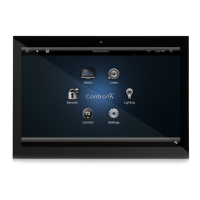
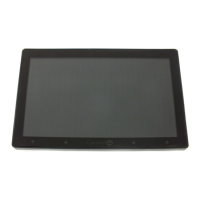
The Control4® T3-7 (7") and T3-10 (10") In-Wall Touch Screens
oer complete system control in an elegant and compact design.
The touch screens are equipped with a full capacitive screen,
audio and video Intercom (with the built-in camera) using SIP,
and more.
This touch screen works great in either new construction or
retrofit installations. For power and network connectivity, choose
from three options:
• Ethernet with PoE—The Ethernet network connection is
provided through the PoE Injector. No additional wiring is
needed.
• Ethernet with AC—Connect the touch screen to one of the
RJ-45 LAN ports on the gateway/router using the RJ-45
Ethernet cable. AC power is used to power the touch screen.
• WiFi with AC—The internal WiFi will communicate with the
LAN’s WAP. If the LAN has a WAP set up, no additional
network wiring is needed. AC power is used to power the
touch screen.
Note: 802.11b is not recommended for Video Intercom.
We recommend using Wireless-N. See “Specifications”
and “Power and Network Installation Options” for more
information.
Box contents
• 7" or 10" T3-7/T3-10 In-Wall Touch Screen
• Power box (to power the touch screen) (005-00065)
• Two screws (to attach the power box)
• Touch Screen removal tool
• Four adhesive-backed foam pads
• Warranty card
Accessories available for purchase
• PoE. Control4 Power over Ethernet Injector, sold separately
(AC-POE1-B).
• Back box options (sold separately)—Metal and plastic, for
new construction or retrofit installations.
• 7" and 10" In-Wall Touch Screen Back Box Kits - New
Construction
• 7" and 10" In-Wall Touch Screens Wall Box, New
Construction, Plastic (C4-NWB57C-P)
• 7" and 10" In-Wall Touch Screens Wall Box, New
Construction, Metal (C4-NWB57C-M)
• 7" and 10" In-Wall Touch Screen Back Box Kit - Retrofit
• 7" and 10” In-Wall Touch Screens Wall Box, Retrofit,
Plastic (C4-RWB57C-P)
• 7" and 10" In-Wall Touch Screens Wall Box, Retrofit,
Metal (C4-RWB57C-M)
For back box installation details, see:
• 7" or 10" In-Wall Touch Screen Wall Box Installation
Guide-New Construction
• 7", or 10" In-Wall Touch Screen Wall Box Installation
Guide-Retrofit
7" and 10" T3 Series In-Wall Touch Screen
Installation Guide

 Need help?
 General

 To Next Page