3
Control Solutions, Inc. | 503-410-5996 | support@vfcdataloggers.com
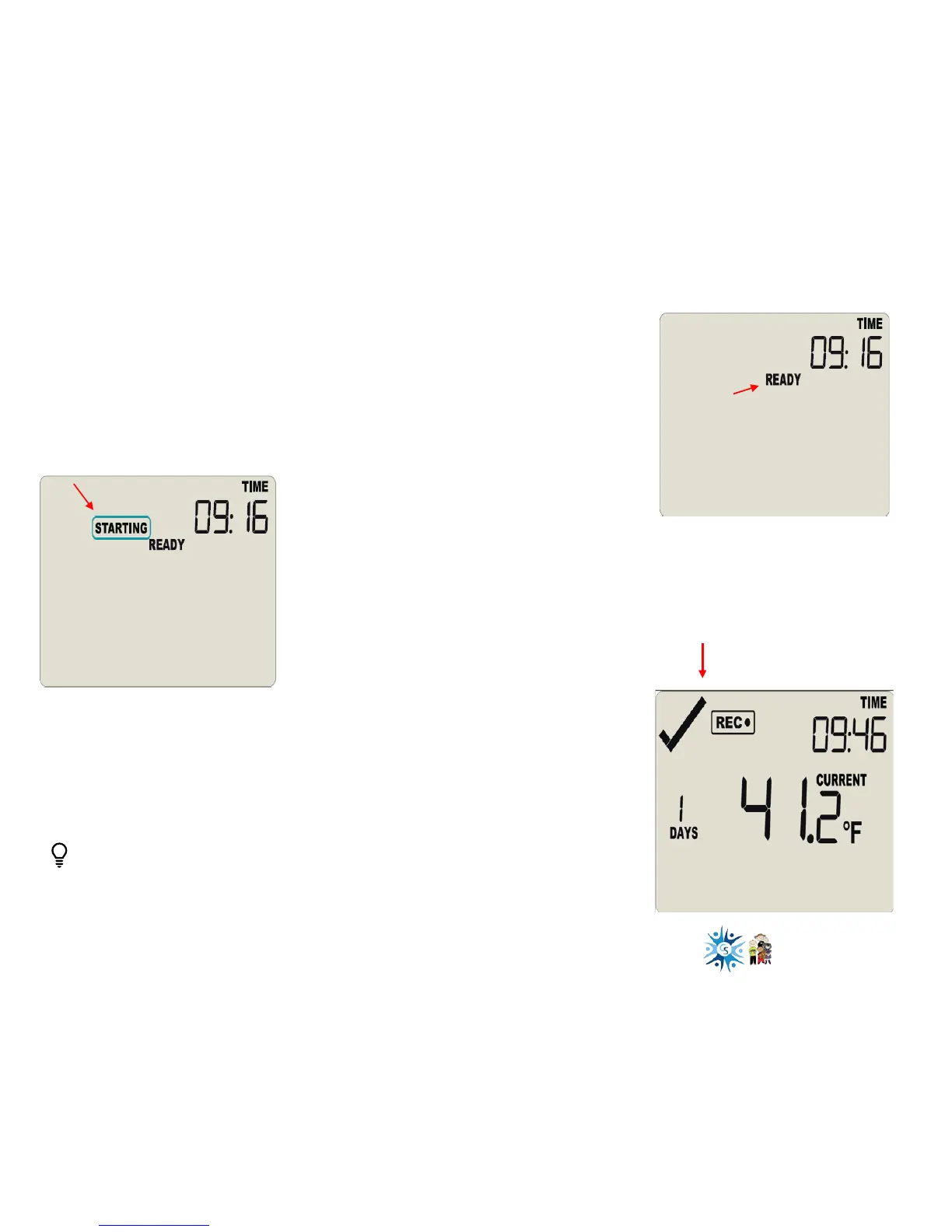
The logger must be in Ready mode for it to
be started. The logger displays READY.
Press and hold the Start/Clear/Stop button.
STARTING is displayed in addition to READY.
• Ready will disappear
• Release the button when Ready disappears
• Starting will also disappear
Starting the Logger
REC● appears indicating your logger is
recording temperature data
This check mark indicates no
alarm
Logger not starting?
Your logger will not start if…
You release the Start button before READY disappears
You hold the button longer than 2 seconds after READY disappears
#1
#2
#3



 To Next Page