MiniWarden/PoolWarden + (PLUS) Operation Manual • www.poolwardentraining.com • 35
Remote Data Server
From any Internet connected computer go to https://www.poolwarden.com and log in. If you can’t log in or
don’t have an account you must contact ControlOMatic with the serial number’s of the controllers in your
account. Only ControlOMatic can make a new account. If the controller is supplied by a dealer of
ControlOMatic, ask your dealer to make you a log in account.
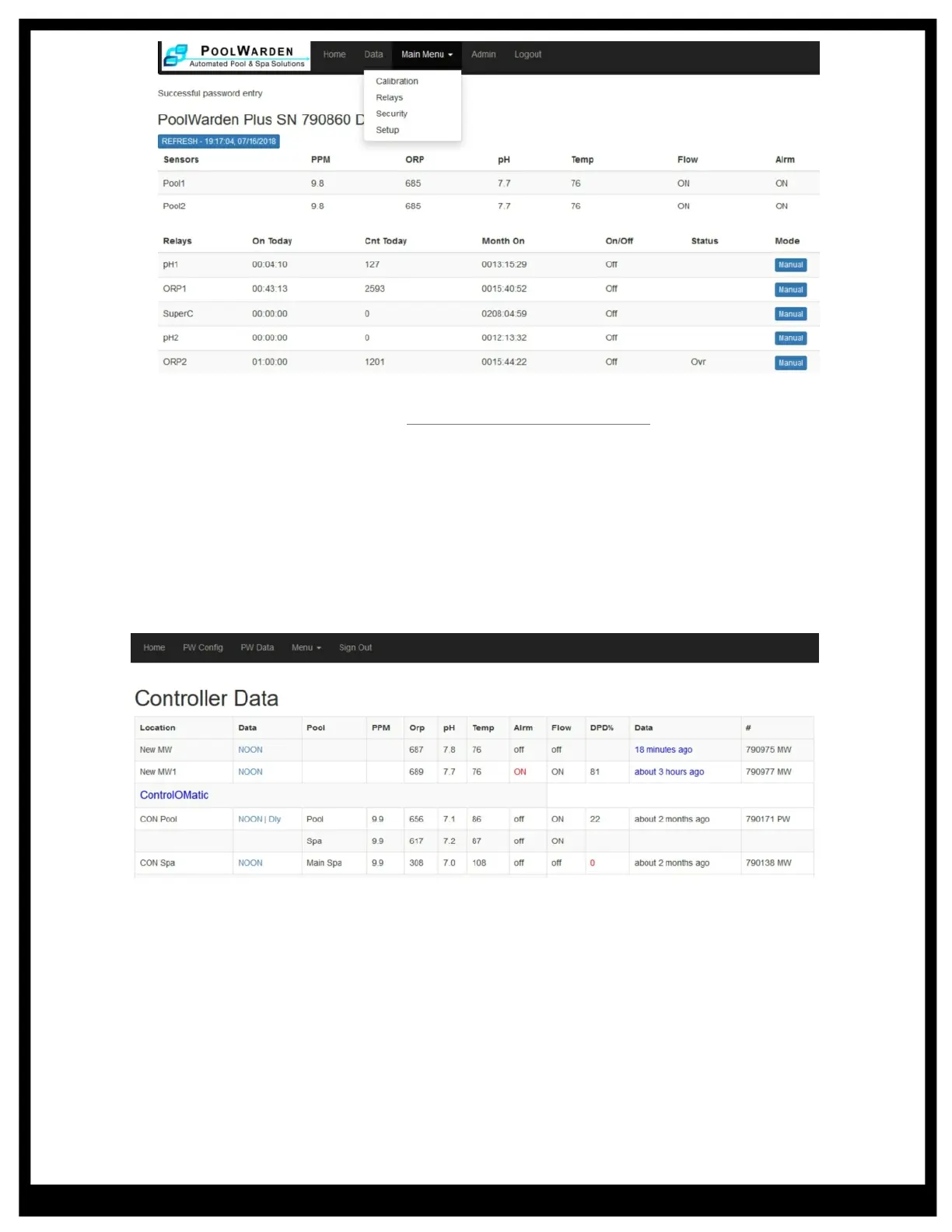
Once logged in, a summary screen will display showing all the controllers with the last data and the alarm
conditions.
Noon Data Summary
To view a summary of the data for a specific controller select NOON or Dly (PoolWarden Only) in the Data
column. Selecting NOON will list the measurements at noon for the current and previous days. Select the
day in the Weekday column to view the data for a specific day.
The controller must send data at noon for the data to be recorded. The PW-Plus has accurate time and
noon will always be accurate. For the non Plus versions of the controllers time is manually entered and is
often not accurte, in this case noon data may not be recorded.
Daily Data Summary Screen
The daily summary screen for the PoolWarden only lists the range (minimum and maximum) of the
measurements for each day. Select the day in the DOW column to view data for a specific day.
Summary Screen Features
Links that may display on the summary screens:
t Plot: Graphically display the data
t CSV: Export the data to a standard CSV file
t DD: Email the data for the day to the entered emails



 To Next Page