3
OPERATION
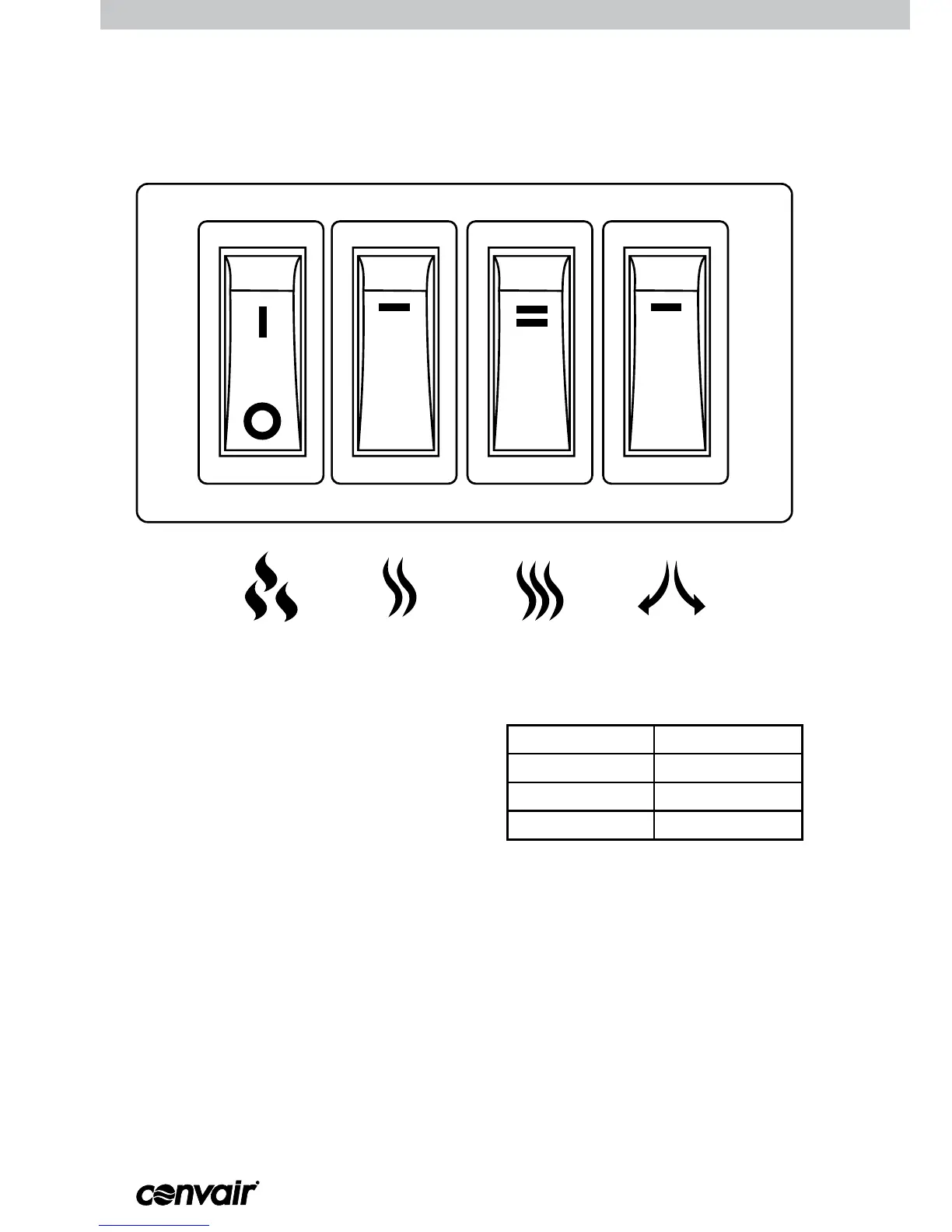
CONTROL PANEL
HEAT switch 1
POWER switch
OSCILLATION switch
HEAT switch 2
Step 1: Use the POWER switch to turn on the
heater. The replace effect will start.
Heating can only occur if this switch is
activated. The replace effect can be
active without heating or oscillating.
Step 2: Use the 2 HEAT switches to select the
desired heating output power. Refer to
table across for heating outputs.
Step 3: Use the OSCILLATION button to set
the heater to rotate from side to side.
Step 4: Use the POWER switch to turn off the
heater.
HEAT switch Heating output
1 850 W
2 0 W
1 & 2 1500 W
OPERATION



 To Next Page