Need help?
Do you have a question about the Converters.TV 15320 and is the answer not in the manual?
Describes the DVI/PC/HD to DVI/PC Scaler's capability for scaling and source-switching to various outputs.
Lists applications such as analog to digital video conversion and upscaling SD video for HD displays.
Specifies source equipment needed, like PCs, Laptops, or DVD Players with specific outputs.
Highlights features like support for various resolutions, HDCP compliance, and automatic resolution detection.
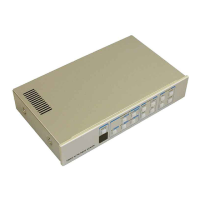
Details the function of front panel buttons like INPUT, MENU, and AUTO ADJUST for device operation.
Describes the DC 5V power input, DVI OUT, PC OUT, DVI IN, and PC IN connectors on the back panel.
Details the purpose of each button on the remote control, including POWER, INPUT, and directional keys.
Outlines the OSD menu layers: Video settings (Picture Mode, Contrast) and Colour settings (Tone, RGB).
Details OSD options for Output resolution selection and Information display (Source, Input, Output, Version).
Explains detailed OSD settings like H/V Position, Clock/Phase, Scale, Noise Reduction, and Color Tone.
Lists input/output ports, ESD protection, power, dimensions, weight, materials, and operating conditions.
Visual guides showing how to connect sources and outputs to the scaler.
Table detailing supported input resolutions for PC, Component, and DVI/HDMI outputs.
 General
| Brand | Converters.TV |
|---|---|
| Model | 15320 |
| Category | Media Converter |
| Language | English |


 To Next Page