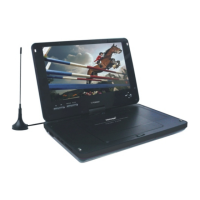
Basic Operation Basic Operation
1. Turn On your DVD Player
Press the Power button on the player, and Read appears on the TV screen.
If there hasn't a disc in the DVD player, No disc will be displayed on both the
screen.
2. Place a Disc
Press the Open/Close to open the tray, Then you place a disc gently into the
tray with the disc's label facing up, close the disc tray, player starts to read. After
them the disc starts playing automatically. (Note: some certain type discs,after
reading out the type, you need press PLAY key or optional key to start to play.)
3. PLAY
CDDA/picture CD/VCD1.0/VCD/1.1 etc Disc DVD Player starts to play in
sequence according to playing contents, while picture CD is played by slide show
to play photo.
VCD2.0/SVCD/CVD/DVCD/DVD ect DVD player starts player start to play
according to the disc itself setup.
CD-ROM/DVD.ROM etc data disc will enter into (media management) sceneand
play in sequence.
4. STOP
When you press Stop button for the first times, the player turns into quasi stop
state(prepare to stop).The unit turn to sate of STOP when you press Stop button
again.When the player enter into state of quasi stop state,and you press the PLAY key, it can
play from the time of quasi state;when the player enter into stop sate,when you
press the PLAY key,it can play in sequence.
5. PAUSE
If you need pause during the unit is playing,please press this pause key.To press
PLAY key or PAUSE key,it can resume to play in normal.If it play picture-CD or
JPEG photo,when you press PAUSE key,the picture will be freezed.
6. MENU KEY.
When you put a disc with PBC function, when PBC is on,the display screen will
show menu scene.To use previous or next key to choose your favorite caption
number and then press CONFIRM key.
When PBC is OFF, you can't choose file from menu scene, the disc will be player in
sequence or by number key to choose, or by previous/next key to choose.(the
function is valid for VCD2.0)
7. ENTER INTO SCREEN SAVER
To activate the screen saver function ,when the unit is on state of stop,open the
cover ,no disc or image is quiescent about over 10 minute ,the screen saver picture
will come out.
8. Fast forward /Fast backeard
Press fast forward or fast backward key ,the unit play speed will be increased
forward or backward,Speed:X2,X4 till X32.When you press it again,it come back
to paly in normal.(the play key can resume to normal paly as well as)
9. Slow play
It can use slow playing function when it is playing slow image.
The unit has many grade slow rates:1/2, 1/4,.....1/32.It resunme to normal play by
press play key during it is playing in slow speed.
10. Choose time
In DVD mode ,use -/-- you choose to jump to a certain title and chapter or special
time to paly or special time to play
In TV mode, it can be used to preset channel choosing number
11. repeat play
ON DVD mode,the first times to press repeat key,it can repeat current palying
(chapter)the secondly press,it will repeat to play (title),the third times press this
key,it will repeat the whole disc,the forth times to press repeat key is to cancel
repeat play.
On disc of VCD/SVCD mode, press REPEAT KEY firstt times,it will repeat
current play file/song), press secondly it repeat all disc's conent ,press repeat key
thirdly cancel repeat function.
12. Program play
ON DVD state,to press this key and enter into operation window,now you can
use number key or up,down and left,right key to choose you liked caption/charpter's
play order.after you finished,please press the play key to start to play the caption
you entered just now.This function can set 20 group data. now you can use number
key or up,down and left,right key to choose you liked caption/charpter's play order.
VCD/SVCD etc state,you need cancel PBC play mode firstly and press program
key,then you can enter to operation window. This function can set 20 group data.
now you can use number key or up,down and left,right key to choose you liked
caption/charpter's play order.
13. Screen OPEN/OFF
On TFT work mode,you press this key,TFT will enter into shut off state,if you
press this key again,TFT screen will be on.
14. Power key
Power ON/OFF for DVD player
6
7


 To Next Page
 Loading...