EasyManua.ls Logo

COOK XLWH/XMWH - User Manual

Default Icon
16 pages
Print Icon
To Next Page IconTo Next Page
Loading...
1
Carefully read this publication and any
supplemental documents prior to any
installation or maintenance procedure.
Loren Cook Company’s Propeller Wall catalog provides
additional information describing the equipment, fan
performance, available accessories and specication data.
For information and instructions on special equipment,
contact Loren Cook Company.
For additional safety information, refer to AMCA
publication 410-96, Safety Practices for Users and
Installers of Industrial and Commercial Fans. This
document and all Cook publications may be obtained from
Cook by phoning (417) 869-6474, extension 166; by FAX
at (417) 832-9431; or by e-mail at info@LorenCook.com.
All Cook publications are available on LorenCook.com.
Receiving and Inspection
Carefully inspect the unit and accessories for any
damage and shortage immediately upon receipt of the unit.
Turn the propeller by hand to ensure it turns freely and
does not bind.
Record on the Delivery Receipt any visible sign of
damage.
Handling
Lift propeller wall fans by attachment to the power
assembly or by the shipping carton. Never lift by the shaft,
motor or housing.
Storage
If the fan is stored for any length of time prior
to installation, coat the shaft with grease or a rust
preventative compound. Store it in its original shipping
crate and protect it from dust, debris and the weather.
Rotate the wheel several revolutions every three to ve
days to keep a coating of grease on all internal bearing
parts.
Installation
Fans mounted to a wall require a different wall opening
size than fans mounted in wall collars or wall housings. For
specic dimensions, refer to the submittal drawing for the
specic fan type.
Motor Installation
To prevent damage to the fan during shipping, motors 5
HP and larger, and extremely heavy motors (cast iron or
severe duty) are shipped loose and must be eld mounted
by bolting the motor on the motor mounting plate in the
existing slots.
The motor should be mounted in order that the motor
plate is between the fan shaft and the motor shaft.
1. Remove the motor plate mounting bolts and motor
plate.
®
This installation manual provides information for
installing and conguring the Loren Cook Company
Propeller Wall Fans.
Propeller Wall Fans
Installalation, Operation, And Maintenance Manual
XWD
XWHD
XPD
XPHD
XLW / XMW
XLWH / XMWH
XLP / XLPH
XMP / XMPH
AWD
AWB
APD
APB
EWD
EWB
EPD
EPB
SWD
SPB
SPD
Exhaust & supply models
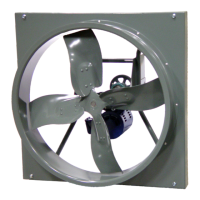
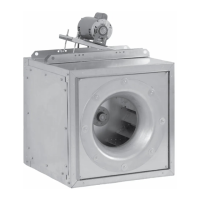
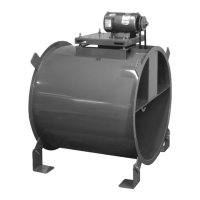
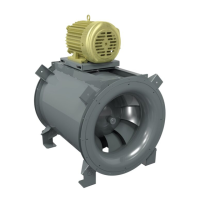
XLWH shown
Rotating Parts & Electrical Shock Hazard
Disconnect electric power before working on unit.
Follow proper lockout / tagout procedures to ensure
the unit cannot be energized while being installed or
serviced.
A disconnect switch should be placed near the fan
in order that the power can be swiftly cut off, in case
of an emergency and in order that maintenance
personnel are provided complete control of the
power source.
Grounding is required. All eld-installed wiring
must be completed by qualied personnel. All eld
installed wiring must comply with National Electric
Code (NFPA 70) and all applicable local codes.
Failure to follow these instructions could result in
death or serious injury.
Question and Answer IconNeed help?

Do you have a question about the COOK XLWH/XMWH and is the answer not in the manual?

Summary

Propeller Wall Fans Manual

Safety and Supplemental Information

Read this publication and supplemental documents before installation or maintenance.

Receiving and Inspection

Inspect the unit and accessories for damage or shortage upon receipt.

Handling Propeller Wall Fans

Lift fans by attachment to the power assembly or shipping carton, not by shaft or motor.

Storage Recommendations

Coat shafts with grease, store in original crate, protect from elements.

General Installation Guidelines

Wall opening size varies by mounting type; refer to submittal drawings for dimensions.

Motor Installation Procedure

Mount motors (5 HP+) and heavy motors to the motor mounting plate.

Electrical Safety Warning

Disconnect power, use lockout/tagout, place disconnect switch near fan.

Belt and Pulley Installation

Belt Tension Adjustment

Adjust belt tension by moving the motor plate; proper tension has 1/4" deflection per foot.

Pulley Pitch Diameter Caution

Do not change pulley pitch diameter to adjust tension; this changes fan speed.

Pulley Alignment

Align pulleys by loosening motor pulley setscrew and moving pulley on shaft.

Fan Installation in Wall Opening

Insert fan into wall opening, secure with fasteners, ensure motor base is below fan shaft.

Wiring Instructions

Follow local ordinances, NEC, wiring diagrams; ensure correct voltage and frequency.

Electrical Safety Habits

Label circuits, identify closed switches, follow safety practices.

Wiring for Wall Fans

Extend wires, prevent excess wire entry into fan area.

Wiring Wall Fans with Wire Guard

Remove end panel or extend wires through side panel for access.

Wiring Wall Fans with Wall Housing

Remove end guard, drill hole for wires, restrain incoming wire.

Motor Wiring Diagrams

Single Speed, Single Phase Motor Wiring

Diagram showing connections for single speed, single phase motors.

2 Speed, 2 Winding, Single Phase Motor Wiring

Diagram showing connections for 2-speed, 2-winding single phase motors.

Single Speed, Single Phase, Dual Voltage Wiring

Diagram for dual voltage single speed, single phase motors.

Damper Motor Schematic

Schematic for typical damper motor applications.

3 Phase, 9 Lead Motor Y-Connection Wiring

Wiring diagram for 3-phase, 9-lead Y-connected motors.

3 Phase, 9 Lead Motor Delta-Connection Wiring

Wiring diagram for 3-phase, 9-lead delta-connected motors.

2 Speed, 1 Winding, 3 Phase Motor Wiring

Wiring diagram for 2-speed, 1-winding 3-phase motors.

2 Speed, 2 Winding, 3 Phase Motor Wiring

Wiring diagram for 2-speed, 2-winding 3-phase motors.

Shutter Installation

Shutter Weather Sealing

Seal shutter flange with caulking for weather protection.

Shutter Placement

Position shutter in the wall opening.

Shutter Mounting

Mount shutter using sheet metal screws on six-inch centers.

Shutter Operation Check

Manually operate shutter to ensure blades move freely.

Final Installation Steps

Proper Fan Rotation Warning

Ensure correct rotation to prevent motor overheating and damage.

Fan Operation

Procedures and checks for operating the fan.

Pre-Start Checks

Checklist for ensuring fan safety and readiness before startup.

Fan Start Up Procedure

Start fan at lowest speed and inspect for issues.

Recommended Torque Specifications

Torque values for setscrews and hold-down bolts.

Post-Startup Inspections

Schedule inspections at 30-minute, 8-hour, and 24-hour intervals.

Fan Maintenance Schedule

General Maintenance Schedule

Establish a regular inspection schedule based on operating conditions.

Corrosive;Contaminated Air Maintenance

Inspect fans in contaminated environments more frequently.

Lubricant Recommendations

Use NLGI grade 2 lithium-based grease; specific types for motors and fans.

Motor Bearing Lubrication

Prelubricated bearings; follow motor nameplate or add light mineral oil after 3 years.

Motor Bearing Relubrication Intervals

Intervals for motor bearing relubrication based on frame size, RPM, and conditions.

Fan Bearing Lubrication

Relubricate fan bearings per the conditions chart, preferably while running.

Fan Bearing Greasing Conditions Chart

Chart detailing greasing intervals based on RPM, temperature, and conditions.

Motor Service and Warranty

Contact Loren Cook or authorized service for defective motors within warranty.

Changing Fan Shaft Speed

Adjust pulley grooves to change fan speed; ensure proper belt tension.

Speed Reduction Procedure

Open pulley to ride belt deeper for reduced speed.

Speed Increase Procedure

Speed Increase Details

Close pulley for belt to ride higher; maintain RPM and horsepower limits.

Maximum RPM Specifications

Tables showing maximum RPM for various fan models and sizes.

Pulley and Belt Replacement

Bearing Replacement Procedure

Detailed instructions for removing and replacing fan bearings.

Troubleshooting Guide

Troubleshooting: Low Capacity or Pressure

Causes for low capacity or pressure issues.

Troubleshooting: Vibration and Noise

Causes for excessive vibration and noise.

Troubleshooting: Overheated Motor

Potential causes for motor overheating.

Typical Installation Dimensions

Table providing installation dimensions for various fan types.

Exhaust Fan Installation with Shutter Guard

Exhaust Fan Installation Details

Installation of exhaust fan in masonry wall with shutter guard.

Supply Fan Installation with Accessories

Fan Installation Dimension Chart

Chart of dimensions for various fan models with accessories.

Parts List and Diagrams

Parts Diagrams for XW, XP, XPHD, XWHD Series

Diagrams identifying parts for various XW, XP, XPHD, XWHD series fan models.

Parts List: XLW, XLWH, XMP Series

Parts Diagrams for XLW, XMW, XLWH, XMWH Series

Diagrams identifying parts for XLW, XMW, XLWH, XMWH series fan models.

Parts Diagrams for XLP, XLPH, XMP, XMPH Series

Diagrams identifying parts for XLP, XLPH, XMP, XMPH series fan models.

Parts List: AWD, AWB, APD, APB Series

Parts Diagrams for AWD, AWB, APD, APB Series

Diagrams identifying parts for AWD, AWB, APD, APB series fan models.

Parts List: EWD, EWB, EPD, EPB Series

Parts Diagrams for EWD Series

Diagrams identifying parts for EWD series fan models.

Parts Diagrams for EWB Series

Diagrams identifying parts for EWB series fan models.

Parts Diagrams for EPD Series

Diagrams identifying parts for EPD series fan models.

Parts Diagrams for EPB Series

Diagrams identifying parts for EPB series fan models.

Weather Hood Installation (Sizes 36-60)

Weather Hood Parts (Sizes 36-60)

Diagram and parts list for weather hood, sizes 36 to 60.

Weather Hood Parts (Sizes 8-30)

Diagram and parts list for weather hood, sizes 8 to 30.

Weather Hood Installation (EWB 72)

Weather Hood Parts (EWB 72)

Diagram and parts list for weather hood, EWB 72.

Limited Warranty Information

Loren Cook Company Warranty Coverage

One-year warranty for parts, excluding shipping costs.

Warranty Void Conditions

Conditions that void the warranty, such as misuse or alteration.

How to Make a Warranty Claim

Procedure for submitting a warranty claim with company contact details.

Motor Warranty Information

Motor manufacturer warranty applies; contact authorized service stations.

COOK XLWH/XMWH Specifications

General IconGeneral
BrandCOOK
ModelXLWH/XMWH
CategoryFan
LanguageEnglish

Related product manuals