30
Use
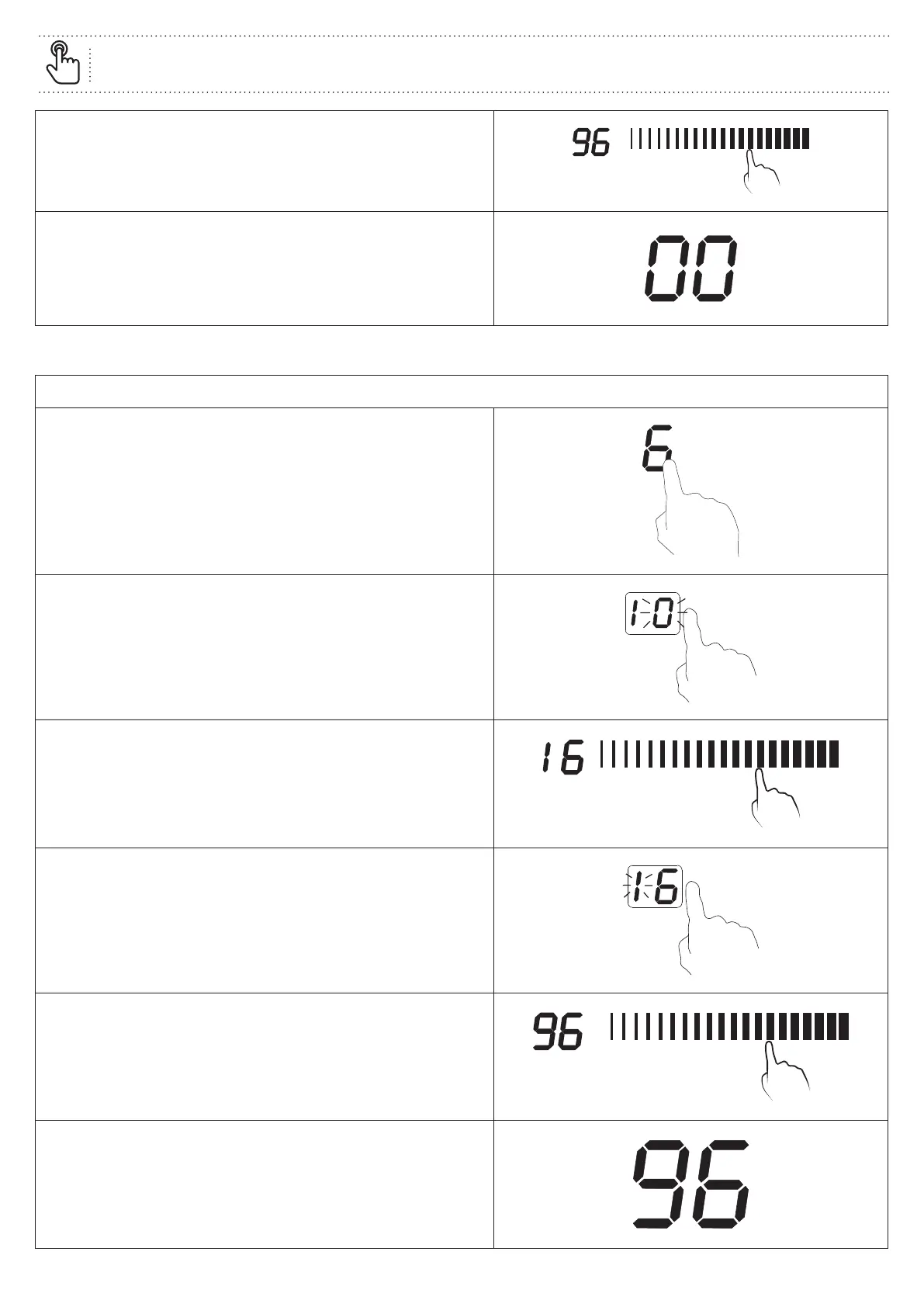
Set the ten minute option by touching the Power / Timer
selector, for example “9”.
The time now set is 96minutes.
When the set time has completed, the display will show “00”
and the buzzer will sound for thirty seconds.
2. Using as a power timer
Set up for one zone
Touch the cooking zone selector you wish to control and set
the power level, for example “6”.
Touch the Timer control, “10” will show in the display and the
“0” will flash.
Set the single minute option by touching the Power / Timer
selector, for example “6”.
Touch the Timer control again, and the “1” will flash.
Set the ten minute option by touching the Power / Timer
selector, for example “9”.
The time now set is 96minutes.
Once the time is set, the display shows the remaining time.
The timer indicator for the chosen cooking zone will flash
for five seconds and then stay lit.


 To Next Page
 Loading...