Operating level 1
The operating level
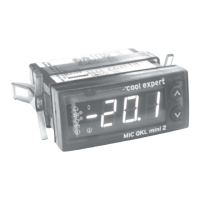
MIC QKL mini 2
-1-
-°cool expert
tL1
: 0.5
Display of room temperature
(Standard display)
Display of room temperature
tbL
: 7.3
Display of cooler block temperature
Display of block temperature
tSA
: 5.0
Display of current setpoint temperature
Display of current setpoint temperature
tSr
: 0.0
Setting the setpoint temperature
Value: -50 °C / -58 °F to 50 °C / 121 °F
Setpoint temperature setting
ECT
OFF
On
Controller in the operating mode "Off”
Controller in the operating mode "On”
Control On / Off (Standby)
-2-
cS
0
The first menu item after changing to the
configuration level (if no password is provided)
Request to enter password with a value
from 0 to 999
To the configuration level (operating level 2)
or
W
E
(Temperature tL1)
(Temperature Block)
(Temperature Setpoint Actual)
(Temperature Setpoint Reference)
(Enable Control)
W
E
Note:
If the display “-2-” flashes alternately with the display “ - 1” a password is possibly provided. The
password is entered or cancelled in the operating level "-2-" under "P__". When requested to enter
a password, enter a numerical combination and then press both control buttons at the same time.
If the wrong password is entered, the display changes immediately to the room temperature "tL1".
The password can be entered as many times as required.
-3-
tH1
The first menu item after changing
to the statistics level (operating level 3)
To the Statistics Level (operating level 3)
Operating mode “Off” (OFF):
All control functions are switched off (standby). The message "UCH" refers to the standby of the
controller.
If no other entries are made, the current room temperature is displayed alternately with "UCH" after 5
minutes.
Note:
A detailed description of the MIC QKL mini 2 alerts can be found on the last page of this document
Display of the room temperature measured by sensor TL1. The room temperature can be hidden in
operating level 2.1 under "dt ". In this case, "___"is displayed. In the event of a sensor fault "ES1",
“----" is displayed alternately with "ES1”.
See note under " tbL”
Display of the cooler block temperature measured by sensor TBL. In the event of a sensor fault “ES2"
"----" is displayed.
Information on temperature measurement " tL1" and " tbL":
The temperature is measured according to the principle of the three-wire measurement technique. In
the case of an extension of the sensor wires, the resistances are compensated for by the three-wire
measurement technique. If wire leads are missing, the sensors TL1 or TBL can also be connected
according to the principle of the two-wire measurement technique. Resistances which inevitably
distort the measurement result can be compensated in the operating level "-2.1-" under "oL1" or
under "oL2" by the entry of a correction factor.
ALT
nO
no alerts
Alerts
or possible alerts
(Alerts)
Alert
cLr
Clearing the current alert by pressing the
control button simultaneously
current alert(s)
Note:
The setpoint value can be increased or decreased by connecting a correspondingly configured
digital input. In this case, the current setpoint temperature is displayed. After cancelling the
connection, "tSA" and "tSr" display the same value.
Note:
In the case of recirculating air defrost under "cd", "FAn" and a setpoint temperature lower than 0 °C /
32 °F, alert "EUS" is displayed
Loading the factory setting
During the starting operation of the control, keep both control
buttons pressed down permanently without interruption.
Special functions of the control buttons
It is not possible to initiate a manual defrost under the following conditions:
Standby by user ("ECt", "OFF”), standby by digital input, ("cI1" or "cI2", "Stb").
The flashing fault display LED signals that the initiation of a manual defrost is not
possible under the aforementioned conditions.
Note:
An active defrost can be cancelled with the procedure described above.
Defrost initiation (manual)
Cooling request (manual)
<
dFR
After approx. 3 seconds, the countdown shown left is counted
to zero.
COR
>
Disconnect control from the supply voltage and switch it back on (initiation phase).
Keep control buttons 1 and 2 pressed down permanently without interruption until
the following routine "LFP" appears in the display.
DF5
...
CO5
...
Note:
This function can only be performed during the initiation phase after a restart.
During normal operation, the procedure shown here has no effect. It is also
possible to load the factory setting in the operating level 2 under the menu item
"rSt" "LFP".
LFP
LF5
...
After completing the initiation, the countdown shown left is
counted to zero.
The display "LFP" and an acoustic signal of the buzzer
confirm the loading of the factory setting.
The display "dFr" and an acoustic signal of the buzzer
confirm the initiation of the manual defrost.
Keep button 1 pressed down permanently without interruption
Keep button 2 pressed down permanently without interruption.
After approx. 3 seconds, the countdown shown left is counted
to zero.
The display "COr" and an acoustic signal of the buzzer
confirm the initiation of the cooling request.
It is not possible to initiate a manual cooling request under the conditions shown
below:
Standby of the control by user ("ECt", "OFF”), Standby by digital input, ("cI1" or
"cI2", "Stb"), room temperature "tL1" less than setpoint " tSA", defrost process
active.
>
<
Press button 1 permanently without interruption until “dFr” is displayed in the
following routine.
Keep button 2 pressed down permanently until “COr” is displayed in the following
routine.
The flashing fault display LED signals that the initiation of a manual cooling
request is not possible.
W
E
Factory setting (All temperature values of the factory setting are indicated in Celsius)
W
E
4


 To Next Page
 Loading...