
 Need help?
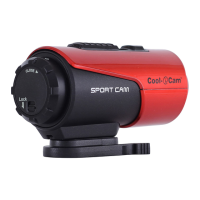
Do you have a question about the Cool-Icam S3000 and is the answer not in the manual?
Instructions on how to charge the camera using USB or AC adapter.
Guide on inserting a MicroSD card correctly before use.
Steps to set the camera's clock using software for accurate file timestamps.
How to properly seal the camera for waterproof protection up to 3 meters.
Procedures for turning the camera on and off using the power button.
Detailed steps on how to start, stop, and manage video recording.
Instructions on how to turn on the camera and capture single photographs.
How to connect the camera to a computer for data transfer and storage.
Guide to installing and running the camera software for settings.
 General
| Brand | Cool-Icam |
|---|---|
| Model | S3000 |
| Category | Action Cameras |
| Language | English |

 To Next Page