3
CPL EvaporativeCooler
®
STARTING YOURCOOLER
TheON/OFFbuttonturnstheaircooler
onandoff.
Therearetwomodesofoperationto
choosefrom, Automaticmodeor
Manualmode.Whentheaircooleris
turnedon,itwillstartinthemodeof
operationitwasinwhenlastturnedoff.
Ifyouraircoolerhasnotbeenoperated
forawhile,thenwhenyoustartit, “Pre
CoolCycle” maysometimesflashon
thedisplayasshown. Thisindicates
thatthewaterpumpwilloperateto
saturatethecoolingpadsforafew
minutesbeforethefanisturnedon.
Thisistoensurethatwhenthefan
starts,onlycoolairentersthebuilding.
ILL1085-A
4SEELEY INTERNATIONAL – OWNER’SMANUAL
AUTOMATICMODE
MANUAL MODE
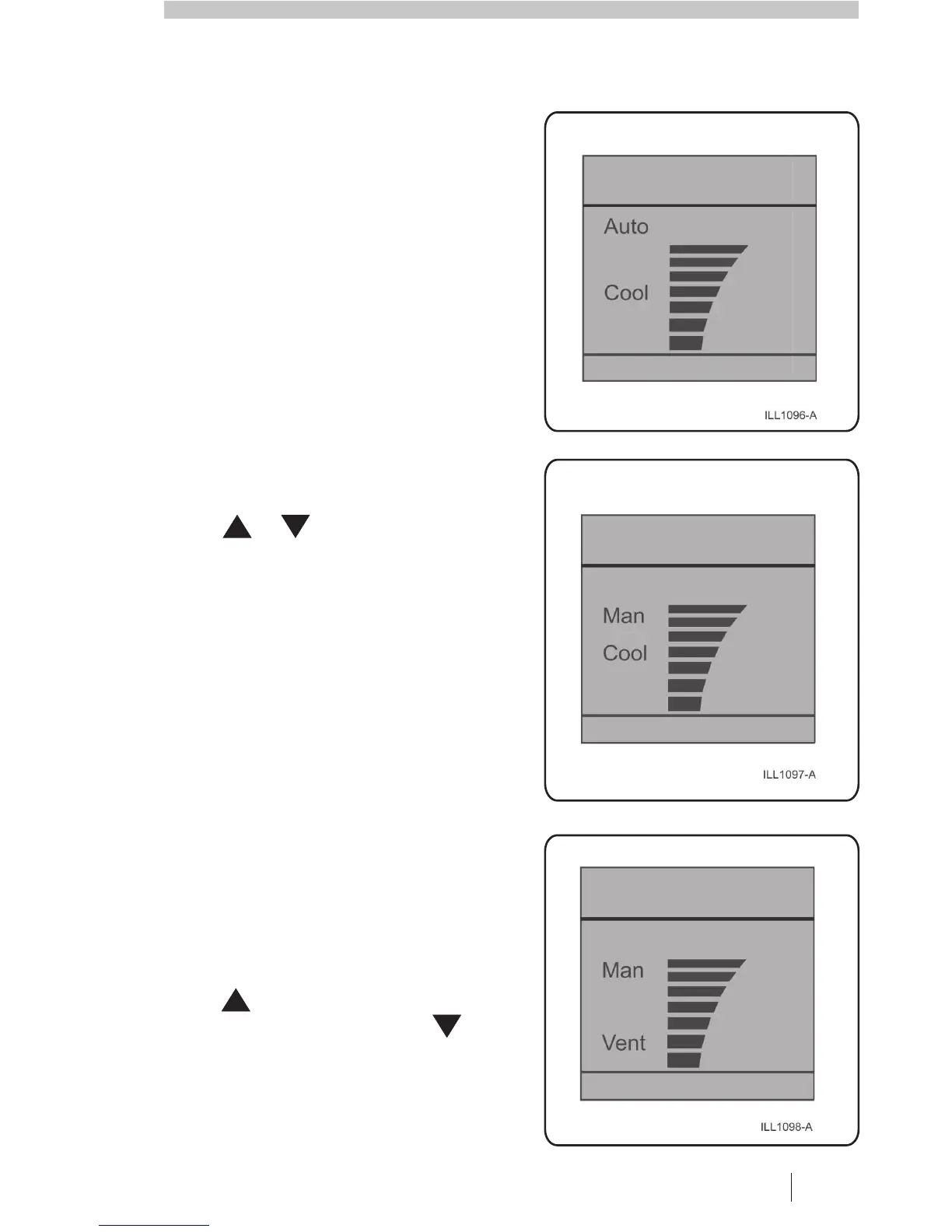
The AUTObuttonisusedtoselect
AutomaticmodeorManualmode.
When “Auto” isdisplayedthecooleris
under Automaticcontrolandwill
operateaccordingtothetemperature
sensedatthewallcontrol.
Whentheaircooleristurnedon,itwill
readthetemperatureandsetthe
cooleroperationaccordingly.Ifthe
temperatureincreasesatthewall
control,thenthefanspeedwill
increase. Asthetemperature
decreasesthefanspeedwilldecrease
untilthecoolerturnsoff.
Pressortooveridethe
automaticcoolinglevelsettingand
adjustyourroomtemperature.
ToswitchtoManualmode,press
AUTOuntil “Man” appearsinthe
display.InManualmodethecooling
levelcanbemanuallyadjusted.
InManualmode,press to
choosebetweencirculatingcoolairor
uncooledair.When “Cool” is
displayed,freshcoolairwillcirculate
intothebuilding.When “Vent” is
displayedasshown,freshuncooled
airwillcirculatethroughthebuilding.
Presstoincreasethefanspeed
andcirculatemoreair.Pressto
decreasethefanspeedandcirculate
lessair.Pressoncetochangethe
speedbyoneincrement.Holdthe
buttondowntochangethespeed
morequickly.
COOL
AUTOMATICMODEDISPLAY
MANUAL MODEDISPLAY


 To Next Page