77
77
7
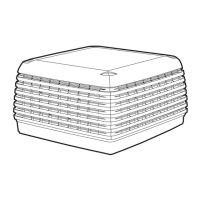
USING THE COOLER
You can experiment with the settings
on your thermostat. This is the best
way to get the most from your cooler.
With the cooler running in Automatic mode,
you may find that you are too cold or that the
cooler is blowing too much air. Press ▼ to
lower the automatic temperature setting and
reduce the amount of cooling.
If you are too cold with the cooler running in
Manual mode, then press ▼ to reduce the
fan speed. You can also circulate fresh
uncooled air by pressing
COOLCOOL
COOLCOOL
COOL until “Vent”
displays.
You may find that with the cooler running in
Automatic mode, you are not cool enough.
Simply press ▲ to increase the cooling rate.
Now that you have read these instructions,
press
ON/OFFON/OFF
ON/OFFON/OFF
ON/OFF to turn your cooler on. If the
cooler has not operated for a while , “Pre Cool
Cycle” will flash on the display. The “Pre Cool
Cycle will begin and will take only a few min-
utes to complete. After this time, the fan will
come on automatically, and you can enjoy
the comfort of cool fresh air!
AIR TOO COLD
AIR NOT COLD ENOUGH
THERMOSTTHERMOST
THERMOSTTHERMOST
THERMOST
AA
AA
A
T FUNCTIONST FUNCTIONS
T FUNCTIONST FUNCTIONS
T FUNCTIONS
If you are not cool enough with the cooler
running in Manual mode, then press ▲ to
increase the fan speed. Ensure that cooled air
is circulating by pressing
COOLCOOL
COOLCOOL
COOL until “Cool”
displays.


 To Next Page