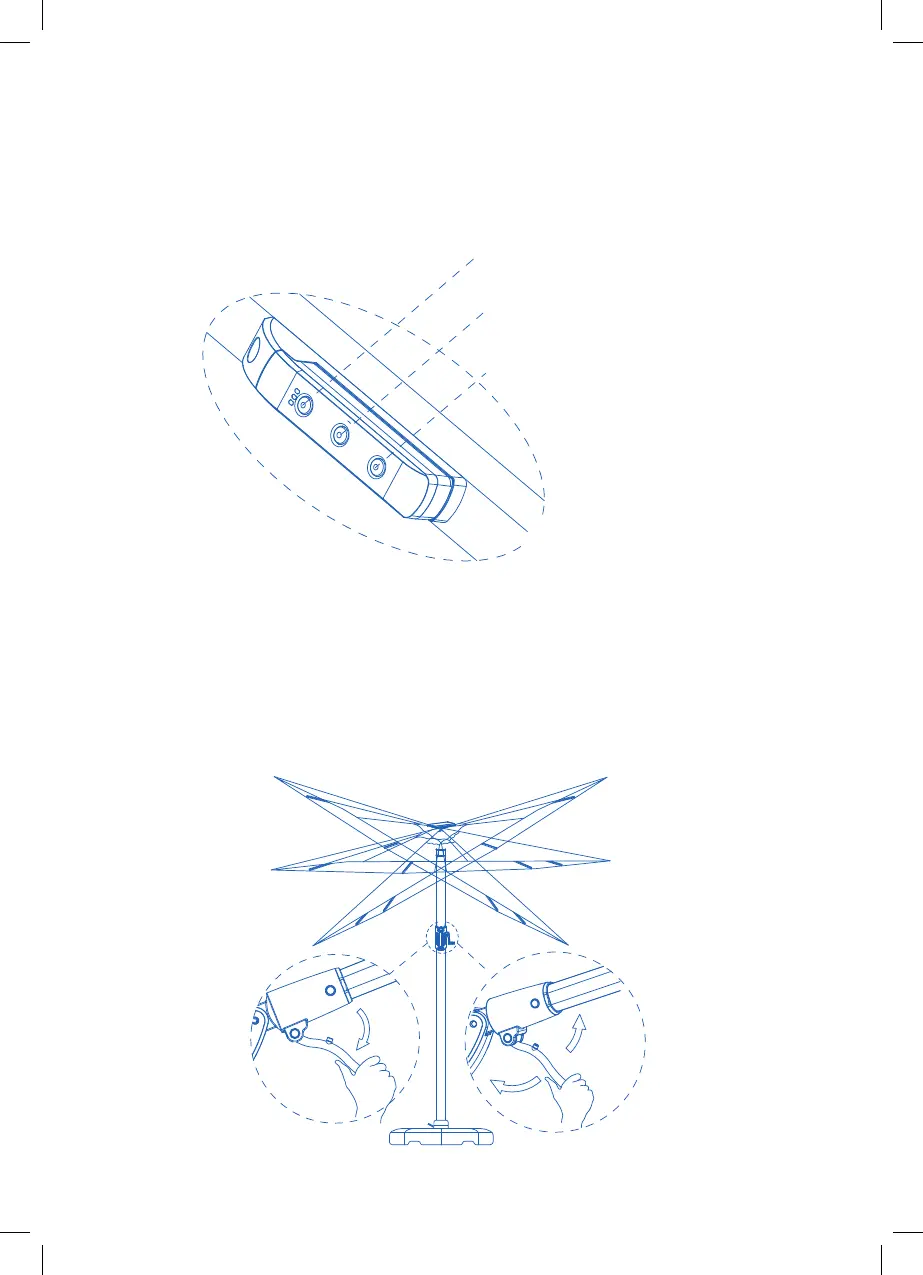
STEP 8 - OPERATING THE CONTROLLER
Press the power button (red) to turn LED lights on or o. To increase lighting, press
middle button. To dim lighting, press bottom button. WARNING: Do not leave
battery in umbrella when not in use or during periods of inclement weather.
STEP 9 - TILTING THE CANOPY
Adjust the angle of the canopy by pulling the trigger handle and sliding the easy
glide handle up and down the post. Lock into desired position. To tilt the canopy,
release the lever on the handle and rotate to the desired angle, up to 60 degrees,
either le or right. Return the lever to the lock position to keep the desired angle.
60°
60°
①
②
On/O switch
Increase light
Dim light


 To Next Page