22 23
PREFIX & SUFFIX
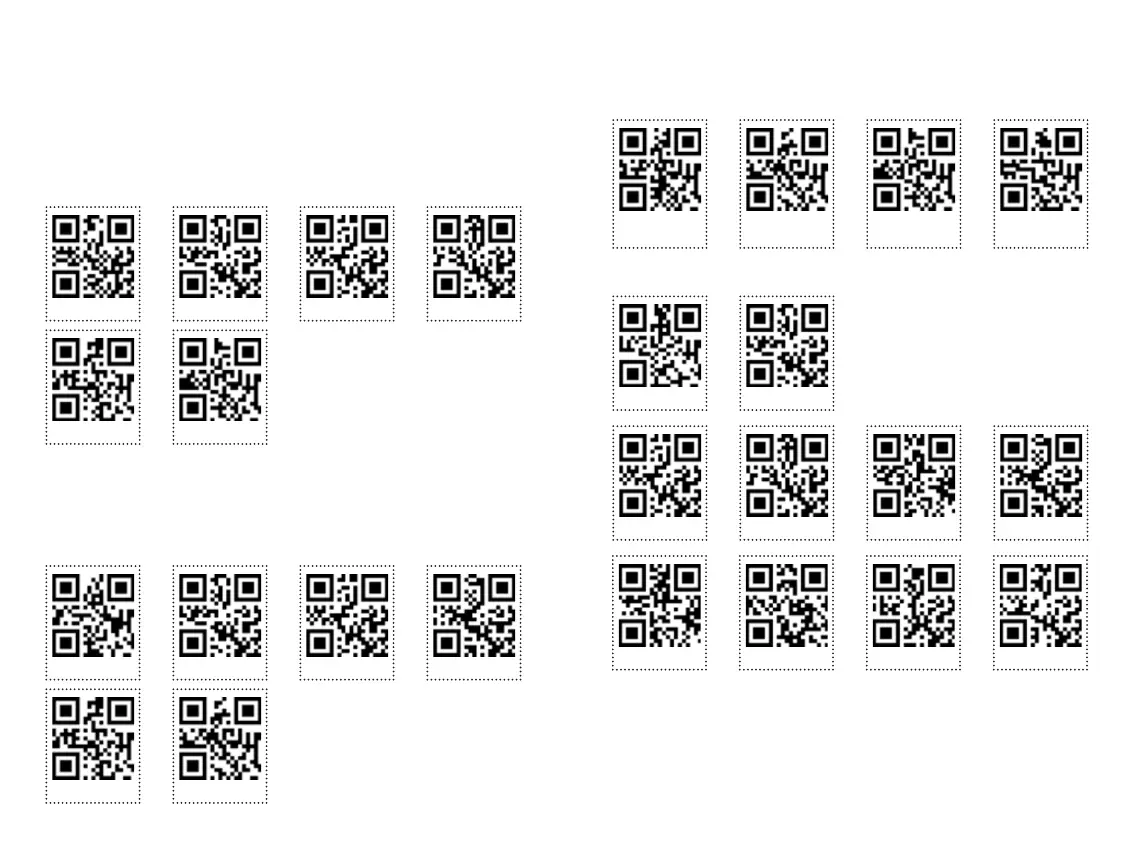
PREFIJO / PREFIX
SUFIJO / SUFFIX
Setting prex
Setting sufx
1
1
Exit setup
Exit setup
Output prex
Output sufx
2
2
3
5
Escanee para activar el prejo de conguración.
Consulte el Apéndice 3: Tabla de comparación de caracteres, podemos encontrar “{“ valor es 1123, escanear
a su vez el código numérico (Apéndice 1: código de conguración digital) , habrá un sonido de ajuste con
éxito cada cuatro.
Scan to enable setting prex.
Refer to Appendix 3: Character Comparison Table, we can nd “{” value is 1123, scan in turn the number code
(Appendix 1: digital setup code) , there will be a sound of successful setting every four.
Escanee para activar el sujo de conguración.
Consulte el Apéndice 4: Tabla de comparación de caracteres, podemos encontrar “}” valor es 1125, escanear
a su vez el código numérico (Apéndice 1: código de conguración digital), habrá un sonido de ajuste con
éxito cada cuatro
Scan to enable setting sufx.
Refer to Appendix 4 : Character Comparison Table, we can nd “}” value is 1125, scan in turn the number code
(Appendix 1:digital setup code) , there will be a sound of successful setting every four
TAKE EFFECT TO OUTPUT PREFIX AND SUFFIX
APPENDIX 1: NUMBER SETTING CODE
Only output
barcode data
Output Sufx Output Prex
Output sufx
and prex
0
4
8
1
5
96 7
2 3
Consulte el valor de los caracteres y escanee el código
de conguración del número en consecuencia.
Refer to value of characters, and scan the number set-
ting code in turn accordingly



 To Next Page