
EasyManua.ls Logo

Cooler Master ARGB Controller - User Manual

Cooler Master ARGB Controller
2 pages
Print Icon
To Next Page IconTo Next Page
Loading...
01. Controller Description 02. LED Modes
03. Addressable RGB/RGB Mode 04. Addressable RGB/RGB Mode
5. Addressable RGB/RGB Mode
06. Color Adjustment Mode
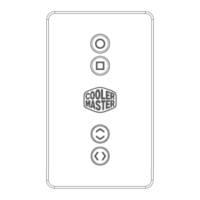
Front Back Left Right
Top Bottom
Press:
1. Spectrum Cycle
2. Uni-LED Monotone
Step Cycle
3. Dual-LED Monotone
Step Cycle
4. Breathe Cycle
5. Monotone LED
Build-up Cycle
6. Chromatic LED
Step Cycle
7. Turn Off
8. Testing Mode
Default:
When plugged in right side
4 LED will light up. For the
purpose of demonstration
they will be shaded to
indicate that it is on
Press Once:
To Switch to standard RGB
Mode
Press Again:
To switch back to
Addressable RGB mode
Press:
To switch colors in LED
mode
NOTE:
In LED mode 1 and 6 this
is not applicable as it is a
multi-color function.
IMPORTANT: the 7 LEDs indicated in the next 3
steps are built internal, indicated in the
illustration for explanation purposes. Will not be
visible when off
Note:
After switching to RGB
Mode, right side 1 LED Will
light up
Note:
Bottom 2 LED always on
when plugged in
USER MANUAL
Question and Answer IconNeed help?

Do you have a question about the Cooler Master ARGB Controller and is the answer not in the manual?

Cooler Master ARGB Controller Specifications

General IconGeneral
BrandCooler Master
ModelARGB Controller
CategoryController
LanguageEnglish

Summary

Controller Description and Views

Front View

Front view of the controller with ports and indicators.

Back View

Back view of the controller, showing various connection ports.

Top View

Top view of the controller, indicating its orientation.

Bottom View

Bottom view of the controller with ports for power and USB.

Left Side View

Left side view of the controller, showing connection slots.

Right Side View

Right side view of the controller, detailing its layout.

LED Mode Operations

LED Mode Cycling

Explains button presses to cycle through various LED lighting modes.

Addressable RGB;RGB Mode Switching

Details switching between Addressable RGB and standard RGB modes.

Color Adjustment Mode

Explains how to switch colors and notes on applicability.

Lighting Speed and Side Functions

Lighting Speed Adjustment

Explains button presses for adjusting lighting speed.

Left Side Ports and Features

Details expansion slot, Mirage Effect, and reset ports on the left side.

Reset Functionality

Using the case reset button for LED mode switching and system restart.

Right Side Addressable RGB Channels

Lists connections for Addressable RGB lighting channels.

Top and Bottom Connectivity Ports

Describes SATA power, RGB, and USB software connection ports.
