
 Need help?
Do you have a question about the Cooler Master Centurion 590 and is the answer not in the manual?
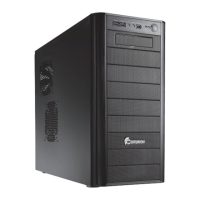
Detailed technical specifications of the Centurion 590 computer chassis, including dimensions, weight, materials, and cooling.
Illustrative diagrams showing the front, top, right, and left views of the computer chassis, highlighting key features.
Comprehensive list of all components included with the computer chassis, identified by item number and quantity.
Details of the hardware and fasteners provided in the fittings pack, with their respective uses.
Step-by-step instructions for removing the computer case's side panel and installing the power supply unit (PSU).
Guide on how to correctly align and secure the motherboard onto the chassis standoffs and tray.
Instructions for inserting and securing expansion cards (e.g., graphics, sound cards) into the motherboard's PCI/PCIe slots.
Procedure for removing the front panel and installing 3.5-inch and 5.25-inch bay devices.
Detailed steps for mounting hard disk drives into the specialized 4-in-3 device module for the chassis.
Instructions on how to install or replace cooling fans in various locations of the computer chassis.
Final steps to complete the computer case assembly, likely involving reattaching panels and covers.
Guidance on organizing and routing internal cables for better airflow and a cleaner build.
 General
| Brand | Cooler Master |
|---|---|
| Model | Centurion 590 |
| Category | Processor |
| Language | English |

 To Next Page