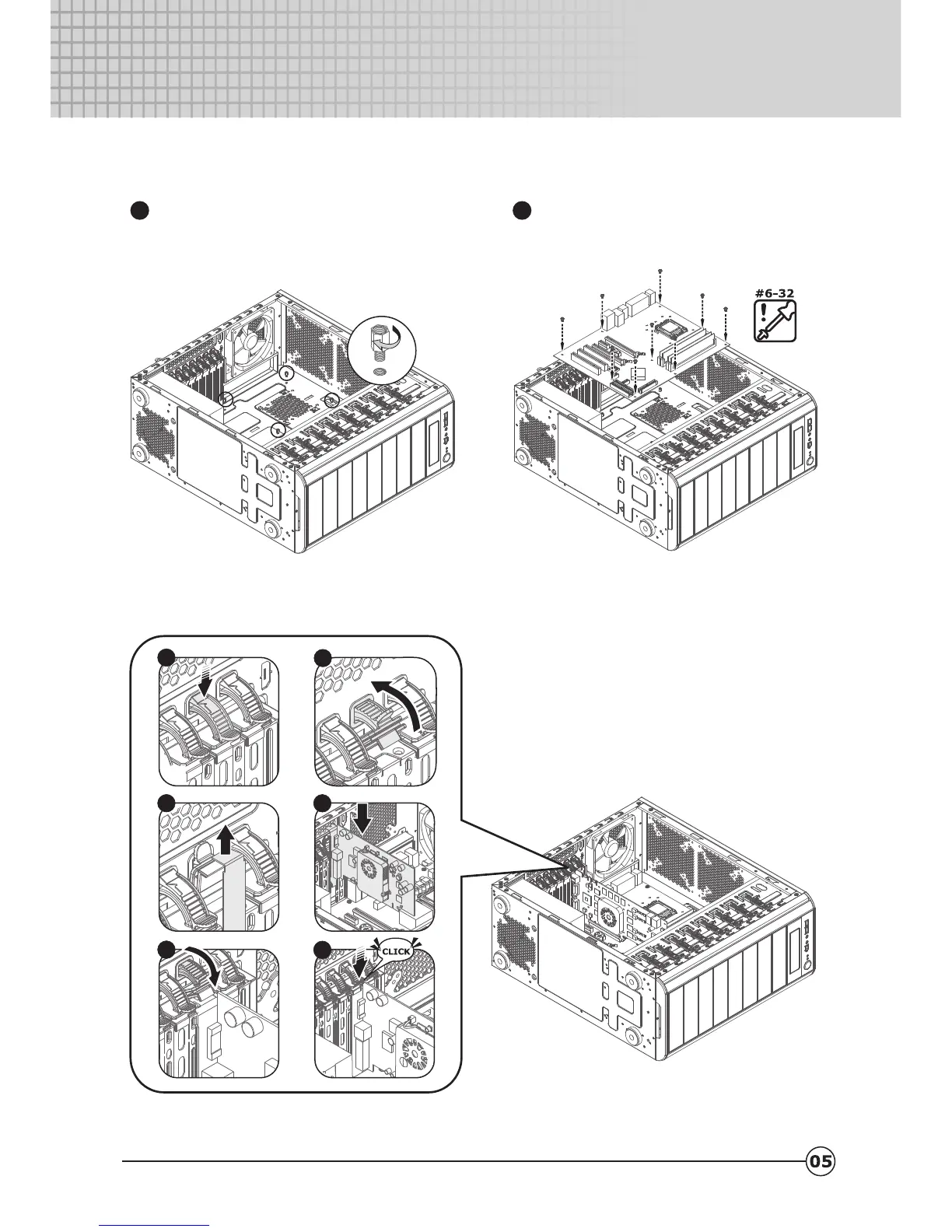
2.2 How to install the motherboard.
2.3 How to install add-on cards.
Adjust the hole position of the M/B with
the MB tray and screw in the spacers.
1
Make sure the holes on the Motherboard
and chassis line up properly before
securing the screws.
2
Centurion 590
Centurion 590
FE
DC
A
B


 To Next Page