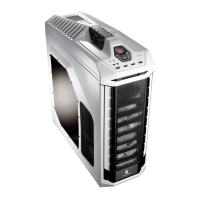
Need help?
Do you have a question about the Cooler Master CMStorm Stryker and is the answer not in the manual?
Instructions for safely removing the computer case side panel for access to internal components.
Step-by-step guide for installing the computer's power supply unit (PSU) into the case.
Detailed instructions on how to properly mount the motherboard inside the computer case.
Guide on installing expansion cards like graphics cards or sound cards into the motherboard slots.
Steps for installing optical drives, hard drives, and other storage devices into the case bays.
Guidance on orienting the 4-in-3 HDD cages before installation for optimal airflow and compatibility.
Procedure for installing external 5.25-inch optical drives and 3.5-inch devices into the case.
Instructions for installing internal 3.5-inch devices into the dedicated drive bays.
Detailed steps for installing or replacing cooling fans in different locations of the computer case.
Guide on how to use and adjust fan speeds using the integrated fan controller.
Instructions for installing liquid cooling radiators (120mm and 240mm) into the case.
Procedure for removing and cleaning dust filters to maintain optimal airflow and system cleanliness.
Installation guide for the Storm Guard security bracket to protect external ports.
Final steps and checks to ensure the computer case installation is complete and secure.
Details on the limited hardware warranty terms, coverage, and procedures for Cooler Master products sold in Australia.
Procedures for claiming warranty, including returning goods and handling expenses for Cooler Master products.
 General
| Model | CMStorm Stryker |
|---|---|
| Type | Mid Tower |
| Color | White |
| Material | Steel, Plastic |
| 5.25" Drive Bays | 4 |
| 3.5" Drive Bays | 6 |
| Power Supply Support | Standard ATX |
| Motherboard Compatibility | ATX, Micro-ATX, Mini-ITX |
| Front Ports | 2 x USB 3.0, 2 x USB 2.0, Audio In/Out |
| Pre-installed Fans - Rear | 140mm x 1 |
| Fan Support - Top | 120mm x 2 or 140mm x 2 |
| Fan Support - Front | 120mm x 2 |
| Fan Support - Rear | 140mm x 1 |
| Fan Support - Bottom | 120mm x 1 |
| Radiator Support - Front | 240mm x 1 |
| Radiator Support - Top | 240mm x 1 |
| Radiator Support - Rear | 120mm or 140mm |
| Maximum GPU Length | 322mm |
| Expansion Slots | 9 |
| Pre-installed Fans - Front | 200mm x 1 (White LED) |


 To Next Page