Need help?
Do you have a question about the Cooler Master Elite 330U and is the answer not in the manual?
Instructions on how to safely remove the motherboard from the computer case.
Step-by-step guide for installing the power supply unit into the computer chassis.
Procedure for installing expansion cards like graphics or sound cards.
Guidance for installing optical drives and floppy drives.
Instructions for mounting and securing the hard disk drive.
Steps for installing or swapping out computer case cooling fans.
Procedure for cleaning dust filters to maintain optimal airflow.
Final steps to ensure all components are properly installed and secured.
 General
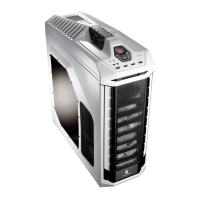
| Model | Elite 330U |
|---|---|
| Type | Mid Tower |
| Motherboard Support | ATX, Micro-ATX |
| External 3.5" Drive Bays | 1 |
| Internal 3.5" Drive Bays | 5 |
| Expansion Slots | 7 |
| Front Ports | 2 x USB 2.0, Audio In/Out |
| Weight | 6.5 kg |
| Power Supply | Not included |
| Color | Black |
| Material | Steel |
| Cooling System | 1 x 120mm fan (front), 1 x 120mm fan (rear) |


 To Next Page