Cooler Master Cooling X | FCC – CE Operational Description
© Cooler Master Technology Inc. All rights reserved. | COOLERMASTER.com
6
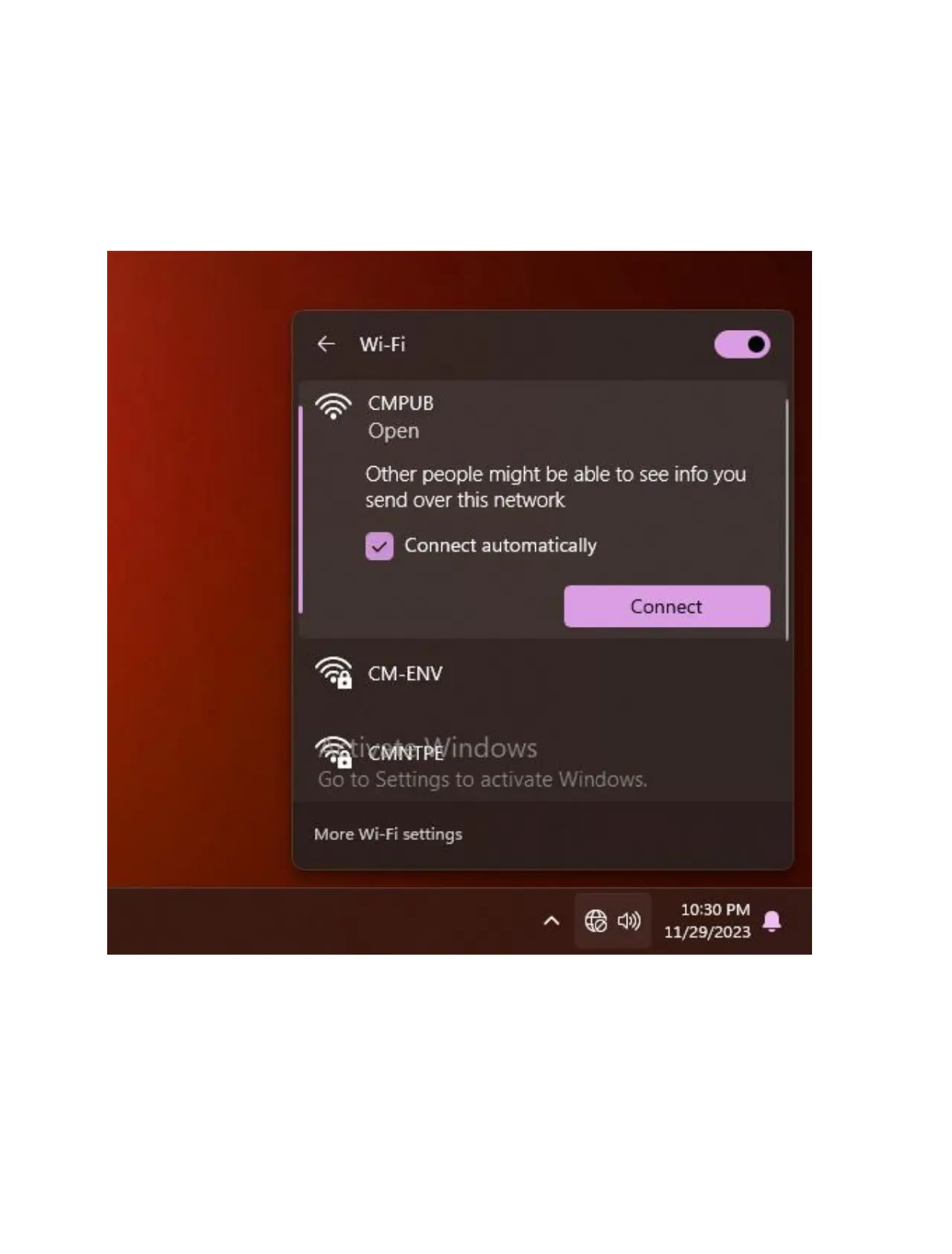
2. Select the wireless network you require and click [Connect] ❸. If you check
Automatically connect, your computer will automatically connect to the wireless
network when it is in that network environment.
If you find the Wi-Fi is shown as turned off, please click the switch in the upper right
corner to turn the Wi-Fi back on.



 To Next Page