
 Need help?
Do you have a question about the Cooler Master M2 Silent Pro and is the answer not in the manual?
Details of the main motherboard power connector.
Details of the CPU power connector.
Details of the graphics card power connector.
Details of SATA and Molex power connectors.
Information regarding the WSEE feature.
Steps for physically installing the power supply unit.
Guide to connecting power cables to components.
Specifics on connecting the motherboard power.
Specifics on SATA and Molex connectors.
Specifics on CPU power connectors.
Guidance for resolving common power supply issues.
Systematic approach to diagnosing power problems.
Details on the product's warranty coverage and terms.
 General
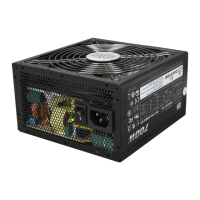
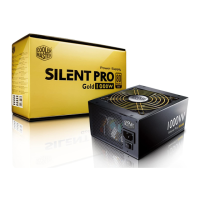
| Series | Silent Pro M2 |
|---|---|
| Type | ATX 12V V2.3 |
| Efficiency Rating | 80 PLUS Bronze |
| Form Factor | ATX |
| Cooling Fan | 135mm |
| PCI-E Connectors | 4 x 6+2-Pin |
| SATA Connectors | 9 |
| Dimensions | 150mm x 86mm x 160mm |
| Input Voltage | 90-264Vac (Auto Range) |


 To Next Page