EasyManua.ls Logo

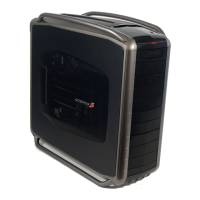
Cooler Master MASTERCASE MC500 - User Manual

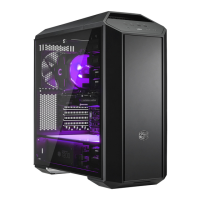
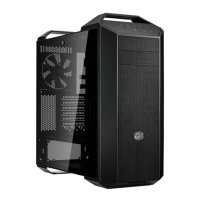
Cooler Master MASTERCASE MC500
36 pages
Print Icon
To Next Page IconTo Next Page
Loading...
User manual / English
ǰȕșȚȘțȒȞȐȧ ȏȈȍȒșȗȓȖȈȚȈȞȐȧ / ǩȢȓȋȈȘșȒȐ
ᆿ㻻䈪᱄ / ㆶ։ѣᮽ
ᆿ㼓䃠᱄ / 㑷儊ѣᮽ
Uåivatelská pĜíruþka / ýeština
Handuch / Deutsch
ƪDŽǒİLjǏǁįLjǎ ǒǏǀıdžǐ / ƪNJNJdžnjLjljƾ
Manual de Usuario / Espol
Manuel de l'utilisateur / Fraais
Felhasználói kézikönyv / Magyar
/ Arabic
Manuale d'uso / Italiano
࡙࡯ࠩ࡯࠭ࡑ࠾ࡘࠕ࡞ / ⣤⨫䶝
Handleiding / Nederlands
Instrukcja UĪytkownika / Polski
Manual do Usrio / Português
ǸțȒȖȊȖȌșȚȊȖ ȗȖȓȤȏȖȊȈȚȍȓȧ / ȘțșșȒȐȑ
Uputstvo za koriãüenje / Srpski
KullanÕm KÕOavuzu / Türkçe
Panduan Pengguna / Indonesia
Questo manuale d’istruzione è fornito da trovaprezzi.it. Scopri tutte le offerte per Cooler Master MasterCase MC500
o cerca il tuo prodotto tra le migliori offerte di Case e Alimentatori
Question and Answer IconNeed help?

Do you have a question about the Cooler Master MASTERCASE MC500 and is the answer not in the manual?

Summary

Motherboard Installation (ATX)

Install ATX Motherboard

Secure the ATX motherboard onto the stand-offs using the correct screws.

Motherboard Installation (E-ATX)

Install E-ATX Motherboard

Mount the E-ATX motherboard into the chassis, securing it with appropriate hardware.

Power Supply Installation

Prepare PSU Mount

Prepare the chassis for power supply installation by installing the mounting bracket.

Install Power Supply

Mount the power supply unit into the chassis and secure it with screws.

Connect Power Cables

Connect power supply cables to components after PSU installation.

Hard Drive Installation (2.5 HDD;SSD)

Hard Drive Installation (3.5 HDD)

Hard Drive Installation (Alternative 2.5 HDD;SSD)

Optical Drive Installation

Front Fan Installation

Install Front Fan

Mount the front fan into the chassis using screws.

Top and Rear Fan Installation

Front Radiator Installation (240;280 mm)

Prepare Front Panel for Radiator

Remove the front panel to access the radiator mounting area.

Mount 240;280 mm Radiator

Install the 240/280mm radiator and fans into the front of the chassis.

Secure 240;280 mm Radiator

Fasten the radiator assembly to the chassis using appropriate screws.

Front Radiator Installation (360 mm)

Prepare Front Panel for 360 mm Radiator

Remove the front panel to access the radiator mounting area.

Mount 360 mm Radiator

Install the 360mm radiator and fans into the front of the chassis.

Secure 360 mm Radiator

Fasten the radiator assembly to the chassis using appropriate screws.

Top Radiator Installation

Mount Top Radiator

Install the radiator and fans onto the top mounting bracket.

Rear Radiator Installation

Fan Controller Installation

Cooler Master MASTERCASE MC500 Specifications

General IconGeneral
TypeMid Tower
MaterialSteel, Plastic, Tempered Glass
Motherboard SupportATX, Micro-ATX, Mini-ITX
Expansion Slots7
5.25" Drive Bays2
3.5" Drive Bays2
2.5" Drive Bays2
Front I/OUSB 3.0 x 2, USB 2.0 x 2, Audio In/Out
Fan Support - Front3 x 120mm or 2 x 140mm
Fan Support - Top2 x 120mm or 2 x 140mm
Radiator Support - FrontUp to 360mm
Radiator Support - TopUp to 240mm
Radiator Support - RearUp to 120mm
Fan Support - Rear1 x 120mm

Related product manuals