
 Need help?
Do you have a question about the Cooler Master NCORE 100 MAX and is the answer not in the manual?
Details the case dimensions in Normal and Expanded modes.
Identifies and illustrates the front panel I/O connectors for the case.
Details accessories included for case assembly, management, and cooling.
Outlines the power supply related accessories included in the package.
Step-by-step guide on how to detach the side and top panels of the case.
Instructions for detaching the front bracket assembly from the chassis.
Initial steps for preparing and orienting the motherboard for installation.
Guides on connecting essential power, data, and front panel cables to the motherboard.
Details the preparation of the CPU block and the correct application of thermal paste.
Illustrates the process of attaching the CPU block to the Intel mounting hardware.
Illustrates the installation of the backplate for Intel LGA 115X/1200 sockets.
Illustrates the installation of the backplate for Intel LGA 1700 sockets.
Step-by-step guide for securing the CPU block on Intel sockets.
Demonstrates the specific mounting brackets and screws for AMD CPU installation.
Illustrates the process of attaching the CPU block to the AMD mounting hardware.
Steps to re-secure the front bracket and install the case panels.
Details maximum GPU dimensions and clearance requirements for installation.
Outlines different GPU installation configurations for optimal support.
Illustrates the process of installing GPU support brackets for stability.
Steps for installing and securing GPU support brackets.
Guides on connecting the GPU and firmly securing it within the case.
Steps to re-install the top panel after GPU installation.
Details the installation of a support bar for the GPU.
Completes the GPU connection and secures it within the case.
Identifies the 8-pin PCI-e and 12VHPWR power connectors on the graphics card.
Guides on connecting multiple 8-pin PCI-e power cables to the GPU.
Details SSD preparation and securing the 2.5" SSD drive into the case.
Provides detailed specifications for the computer case and watercooling components.
Details the electrical specifications of the PSU and technical data for the fans.
Explains general warranty terms, conditions, and coverage exclusions.
Specifies liability limits and outlines the step-by-step process for making a warranty claim.
Provides critical safety instructions and step-by-step guides for PSU installation.
Lists regional office contacts and directs users to online resources for support.
 General
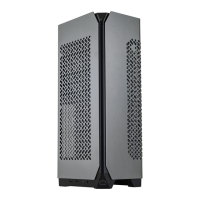
| Model | NCORE 100 MAX |
|---|---|
| Case Type | Mini-ITX |
| Material | Steel, Plastic |
| Motherboard Support | Mini-ITX |
| Color | Black |
| Power Supply Support | SFX |
| Front Ports | 1 x USB 3.2 Gen 2 Type-C |


 To Next Page