6
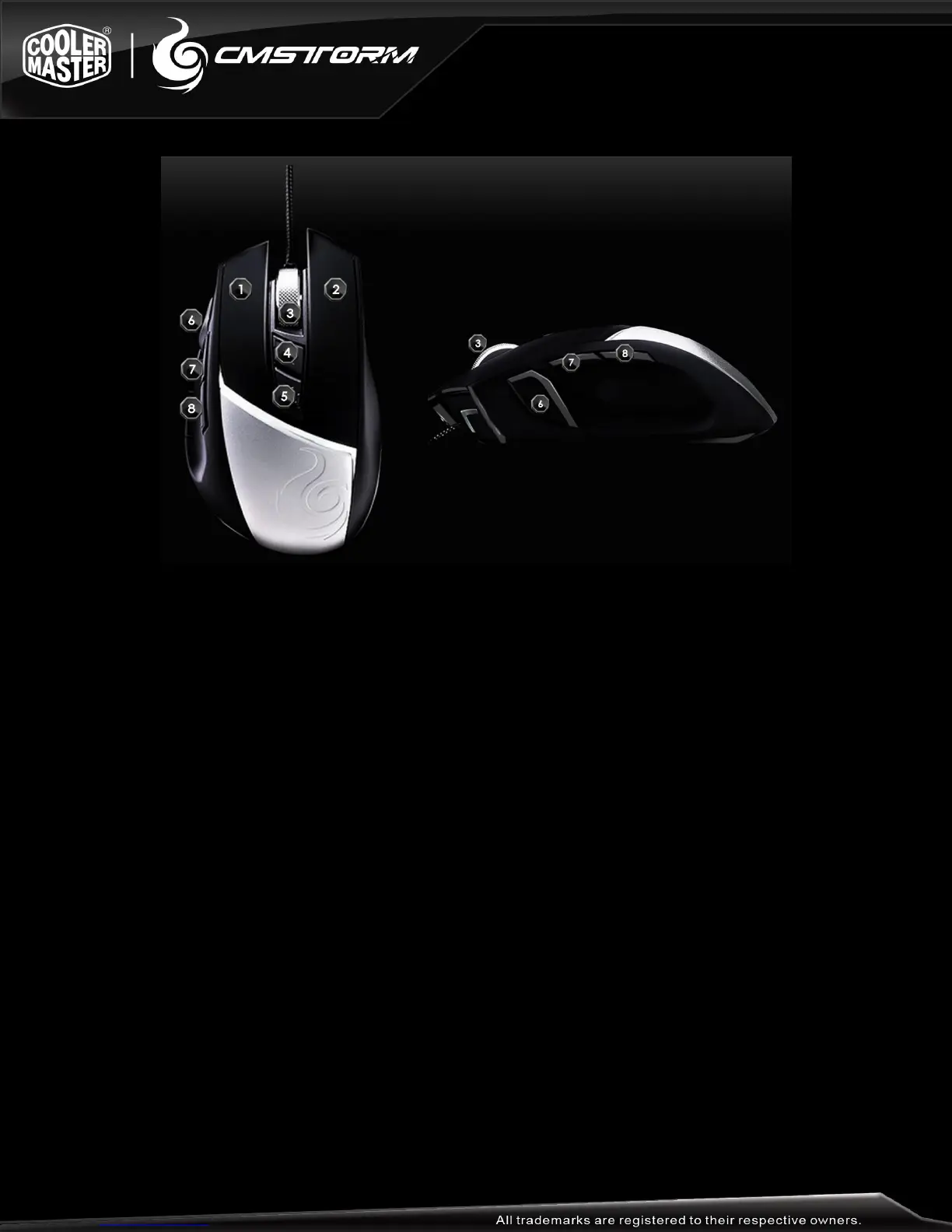
DEVICE LAYOUT
1. Left Click button
2. Right Click button
3. Scroll Wheel and Middle Click button
4. Mouse button 4, default to DPI +
5. Mouse button 5, default to DPI –
6. Removable aluminum plate for passive hand cooling
7. Mouse button 6, default to 200 DPI when held
8. Mouse button 7, default to navigation forward
9. Mouse button 8, default to navigation backward
10. Front facing LEDs
11. Avago ADNS-9800 Laser sensor
12. Super slick mouse feet



 To Next Page