Owner’s Manual
Page - 13 - of 22
Operating Your Coolerado System thermostat
The operation of your Coolerado system is controlled by the indoor thermostat. You simply adjust the thermostat and it maintains
the indoor temperature at the level you select. Most thermostats for heat pump systems have three controls: a TEMPERATURE
control selector, a FAN control, and a SYSTEM or MODE control. Most thermostats can be configured to provide both heating and
cooling operation, speak to your installation contractor about your thermostat features and benefits.
Coolerado has an optional thermostat, model TEC2145-4, which will vary the fan speed based on the set point indoor temperature.
This makes the fan variable speed optimizing your systems performance. This is a cooling only thermostat. Heating is possible but
requires a change over sensor and relay that Coolerado does not provide nor supports in any way.
NOTE: If using a thermostat or building controls other than the recommended TEC2145-4, see thermostat instruction
manual or consult with your installation contractor.
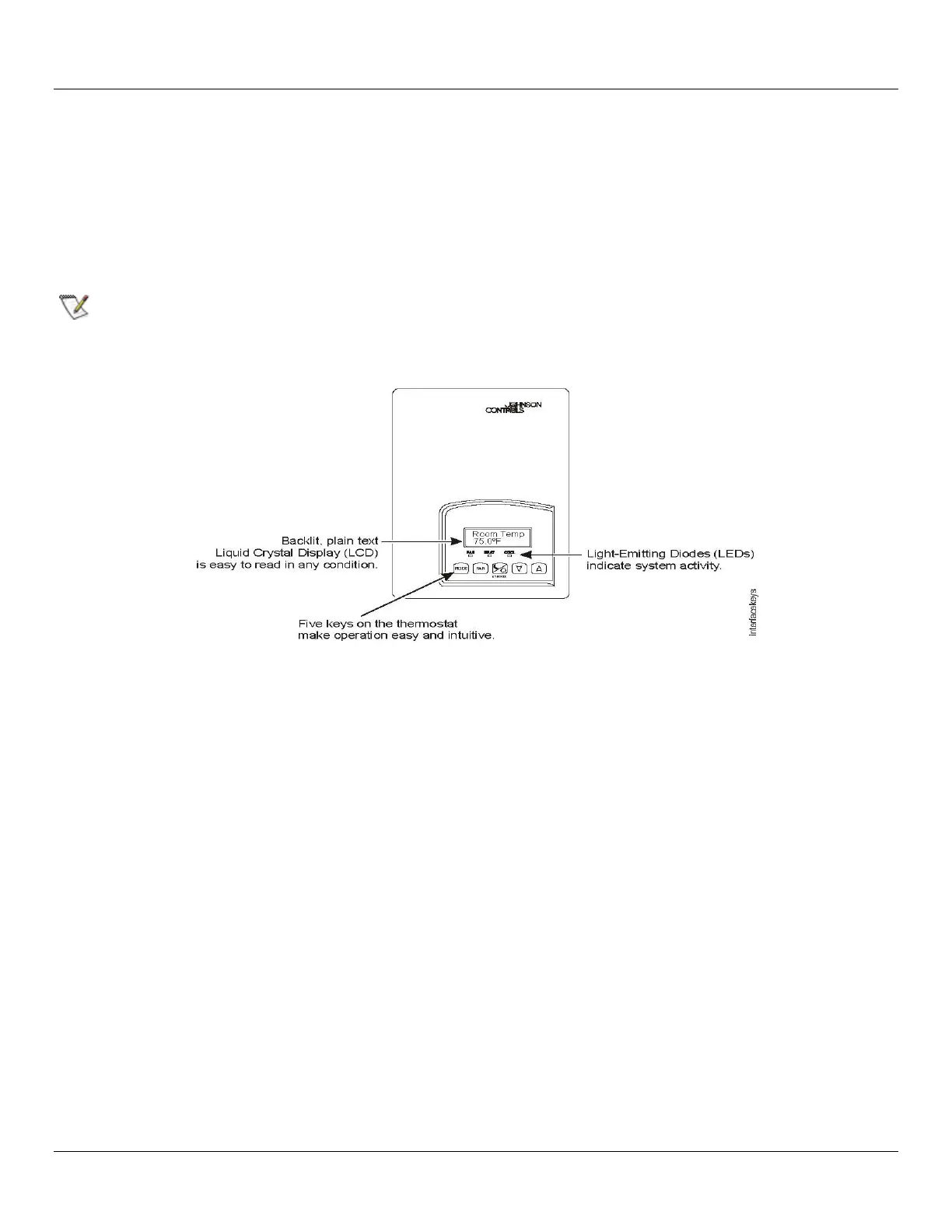
Thermostat Operation Overview with Recommended Programming for the TEC2145-4 Thermostat
Front Cover of Thermostat
NOTE: This thermostat will start the fan at the cool call set point temperature and ramp up to full speed with a 1
o
F room
temperature rise.
Thermostat User Interface Keys
The TEC2145-4 Thermostat user interface consists of five keys on the front cover. The function of each key is as follows:
MODE key toggles among the system modes OFF and Cool.
FAN key toggles among ON and AUTO for fan control. This should be left on AUTO.
OVERRIDE key has been deactivated with Coolerado settings. See the Configuring the TEC2145-4 Thermostat section in the
Johnson Control manual for reprogramming.
UP/DOWN arrow keys adjust the configuration parameters and activate a set point adjustment.
Backlit LCD
The TEC2145-4 Thermostat includes a 2-line, 8-character backlit display. Low-level backlighting is present during normal operation,
and it brightens when any user interface key is pressed. The backlight returns to low level when the thermostat is left unattended
for 45 seconds.
LEDs
Three (3) LEDs are included to indicate the fan status, call for heat, or call for cooling:
FAN LED is deactivated



 To Next Page