Need help?
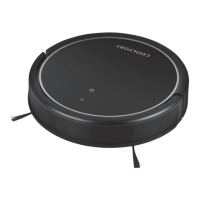
Do you have a question about the COOLFORT CF-3203 and is the answer not in the manual?
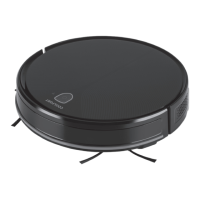
Control the robot vacuum cleaner and monitor its work via the COOLFORT mobile app.
The unit automatically returns to the charging station after cleaning or when the battery is low.
The robot vacuum cleaner provides voice signals for operation status and errors.
Optical anti-drop sensors prevent the unit from falling down stairs or ledges.
Instructions for correctly installing the charging dock-station on a flat floor surface against a wall.
Steps to remove the roller brush lid and install the suction nozzle.
Steps to remove the suction nozzle and install the roller brush.
Guide on how to remove and install the dust bin and water tank.
Detailed instructions for removing and installing the dust bin and its filters.
Procedure for charging the vacuum cleaner's battery, including initial charging time.
How to turn the vacuum cleaner on and off using the power button.
Explanation of how to select different cleaning modes via the remote control.
Instructions for activating and using the automatic room cleaning mode.
How to pause and resume the vacuum cleaner's operation.
Guide on using the spot cleaning function for concentrated cleaning.
Instructions for activating the cleaning mode that follows along walls.
Detailed guide on how to perform wet cleaning and mopping.
How to manually send the vacuum cleaner back to its charging station.
Steps to prepare the robot vacuum cleaner for network pairing with a smartphone.
Instructions for cleaning the main roller brush of debris and hair.
How to remove, clean, and re-install the side brushes.
Steps for emptying and cleaning the dust bin and its filters.
How to clean sensors, wheels, charging contacts, and exterior parts.
 General
| Type | Upright |
|---|---|
| Cord Length | 5m |
| Noise Level | 75 dB |
| Filter Type | HEPA |
| Dust Capacity | 2.5L |

 To Next Page