Need help?
Do you have a question about the COOLIFE H881 WIFI and is the answer not in the manual?
Information about warranty, support, and customer satisfaction.
Explains how the infrared sensor triggers photo and video capture.
Important safety and usage warnings for the camera.
Identifies and labels all external components of the trail camera.
Step-by-step guide for setting up and operating the camera.
Details the icons and information displayed on the camera screen.
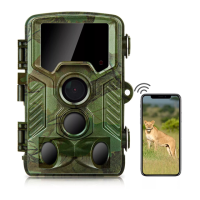
Lists detailed technical data and features of the H881 WIFI trail camera.
Instructions for obtaining and installing the 'Trail Cam Pro' mobile application.
Step-by-step guide to establish a wireless connection between the camera and a smartphone/tablet.
Description of the main features and controls within the mobile application.
Procedure for accessing the internal components of the trail camera.
Guidance on installing AA batteries correctly into the camera.
Instructions for properly inserting and removing the TF memory card.
How to connect an external 6V DC power source for continuous operation.
Methods for attaching the camera to trees or objects using the provided strap.
Instructions for mounting the camera on walls or ceilings.
Diagram and advice for optimal camera placement and orientation for detection.
Guidance on using USB and AV cables for file transfer and TV output.
Steps to connect the camera to a television for viewing.
Guide for connecting the camera to a computer using a USB cable.
Steps for accessing files on the memory card using a card reader.
Explanation of the different operational modes and their functions.
How to optimize camera placement and sensor alignment using the test mode.
Configuring the camera to capture photos, videos, or both.
Selecting the image resolution for still photos.
Setting the number of continuous shots taken per trigger.
Selecting the video resolution and frame rate for recordings.
Configuring settings for time-lapse photography or videography.
Setting the duration of individual video clips recorded upon motion detection.
Enabling or disabling sound recording during video capture.
Defining the delay between consecutive recordings after motion detection.
Enabling/disabling side PIR sensors for wider detection.
Adjusting PIR sensor sensitivity based on environmental conditions.
Scheduling specific periods for the camera to be active.
Detailed options and notes for using the time-lapse feature.
Choosing the display language for the camera's menu.
Enabling loop recording that overwrites old files when the memory is full.
Setting the date format, time format, and current time.
Adding date, time, temperature, and moon phase to photos.
Securing the camera with a 4-digit password.
Setting up the camera's WiFi network name and password.
Enabling or disabling the audible key tone for button presses.
Instructions on how to format the memory card for reuse.
Setting a unique serial number for camera identification.
Restoring the camera to its original factory default settings.
Viewing the current firmware version installed on the camera.
 General
| Photo Resolution | 20MP |
|---|---|
| Video Resolution | 1080P |
| IR Flash Range | 65ft |
| Trigger Speed | 0.2s |
| Waterproof | IP66 |
| Connectivity | WiFi |
| Detection Distance | 65ft |
| Night Vision | Yes |
| Operating Temperature | -4°F to 140°F |
| Storage | Up to 128GB SD Card |
| Battery Life | Up to 8 months (standby) |

 To Next Page