Need help?
Do you have a question about the Coolmax V-400 and is the answer not in the manual?
Specifies the operating voltage and frequency requirements for the power supply.
Details the power distribution configuration across various DC voltage outputs.
Explains the power supply's built-in protection functions against electrical faults.
Outlines the operational and storage conditions for temperature and humidity.
Lists the safety and EMI certifications obtained for the power supply.
Advises against opening the case and warns about electrical shock risks.
Instructs to keep the power supply away from humidity.
Guides users through initial checks for power cord and outlet.
Provides steps for checking input voltage, connectors, and power cycling.
 General
| Total power | 400 W |
|---|---|
| AC input voltage | 115 - 230 V |
| AC input frequency | 50 - 60 Hz |
| Combined power (-12V) | 12 W |
| Combined power (+3.3V) | 130 W |
| Combined power (+5Vsb) | 12.5 W |
| Max output current (+5V) | 28 A |
| Max output current (-12V) | 1 A |
| Power protection features | Over voltage, Short circuit |
| Max output current (+3.3V) | 30 A |
| Max output current (+5Vsb) | 2.5 A |
| Maximum input current (@110V) | +12V1, +12V2, +3.3V, +5V, +5Vsb, -12V A |
| Purpose | PC |
| ATX version | 2.0 |
| Noise level | - dB |
| Mean time between failures (MTBF) | 100000 h |
| Power supply unit (PSU) form factor | ATX |
| Fan diameter | 80 mm |
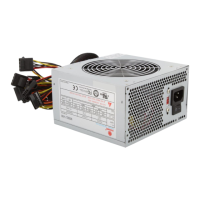
| Product color | Silver |
| Number of fans | 1 fan(s) |
| Cabling type | Non-Modular |
| Motherboard power connector | 20+4 pin ATX |
| Number of SATA power connectors | 1 |
| Peripheral (Molex) power connectors (4-pin) | 4 |
 Weight and Dimensions
| Depth | 8.38 mm |
|---|---|
| Width | 142.2 mm |
| Height | 150 mm |

 To Next Page