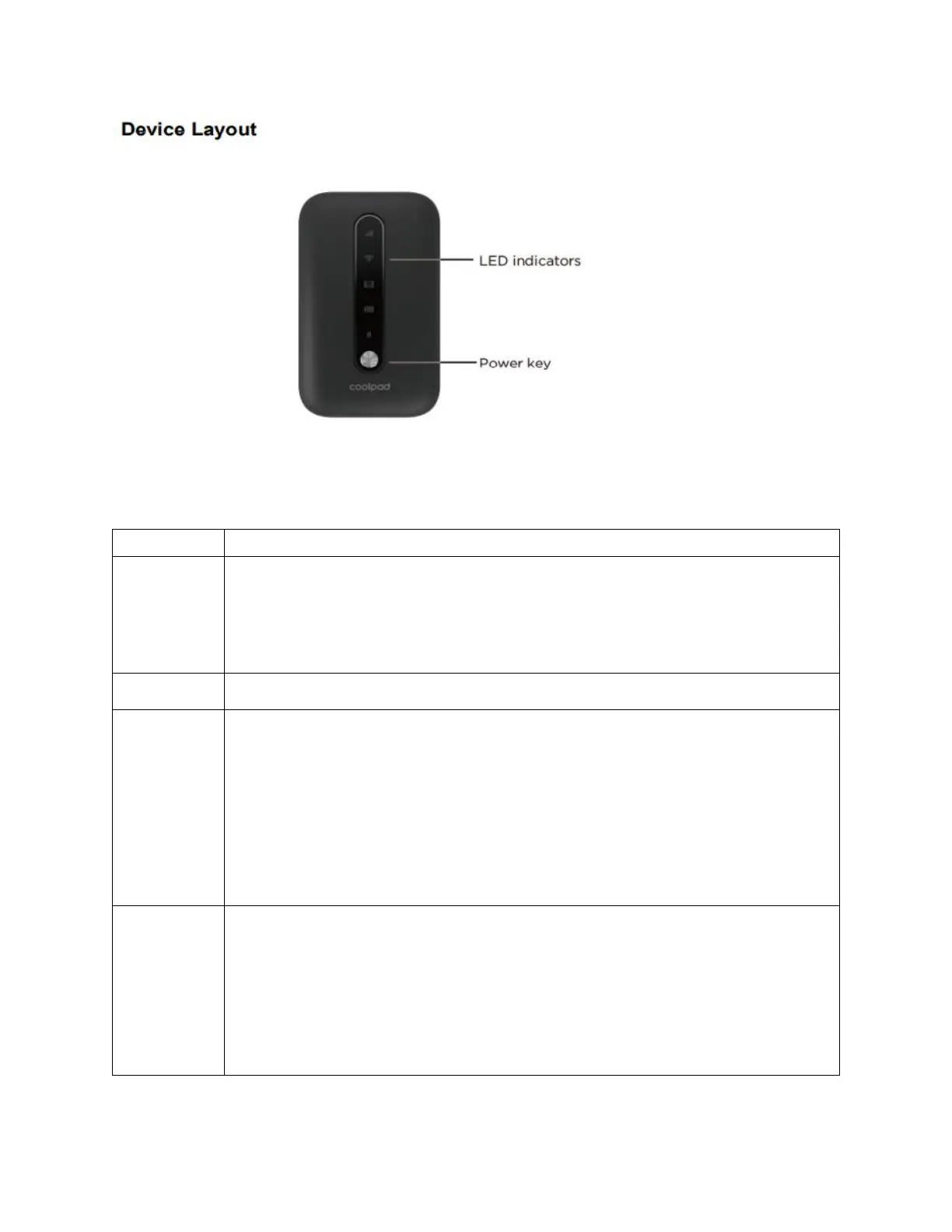
LED indicators: Display network signal, Wi-Fi, battery charge, and mobile data
status.
Displays your current network status. Green light indicates good
network connection; yellow light indicates poor network
connection; red light indicates no network connection, no SIM
card, or no service
Indicates when Wi-Fi is connected.
Displays your current battery status. Solid green light indicates the
battery level is 40%-100%, solid yellow light indicates the battery
level is 16%-39%, and solid red light indicates the battery level is
less than 15%; when the device is charging, the indicator will flash
red when the battery level is below 15%, will flash yellow when the
battery level is 16%-39%, and will flash green when the battery
level is 40%-100%.
Indicates when your data allotment is running out. The indicator
will flash red when the data usage is higher than 75% of the
monthly data plan set, will flash yellow when the data usage is
51%-75%, and will flash green when the data usage is below 50%.
You will need to configure your monthly data plan and tick the
"Auto Disconnected" box on Web User Interface first.


 To Previous Page