QD3 Quik-Drive Voltage Regulator Tap-Changer Manual
52
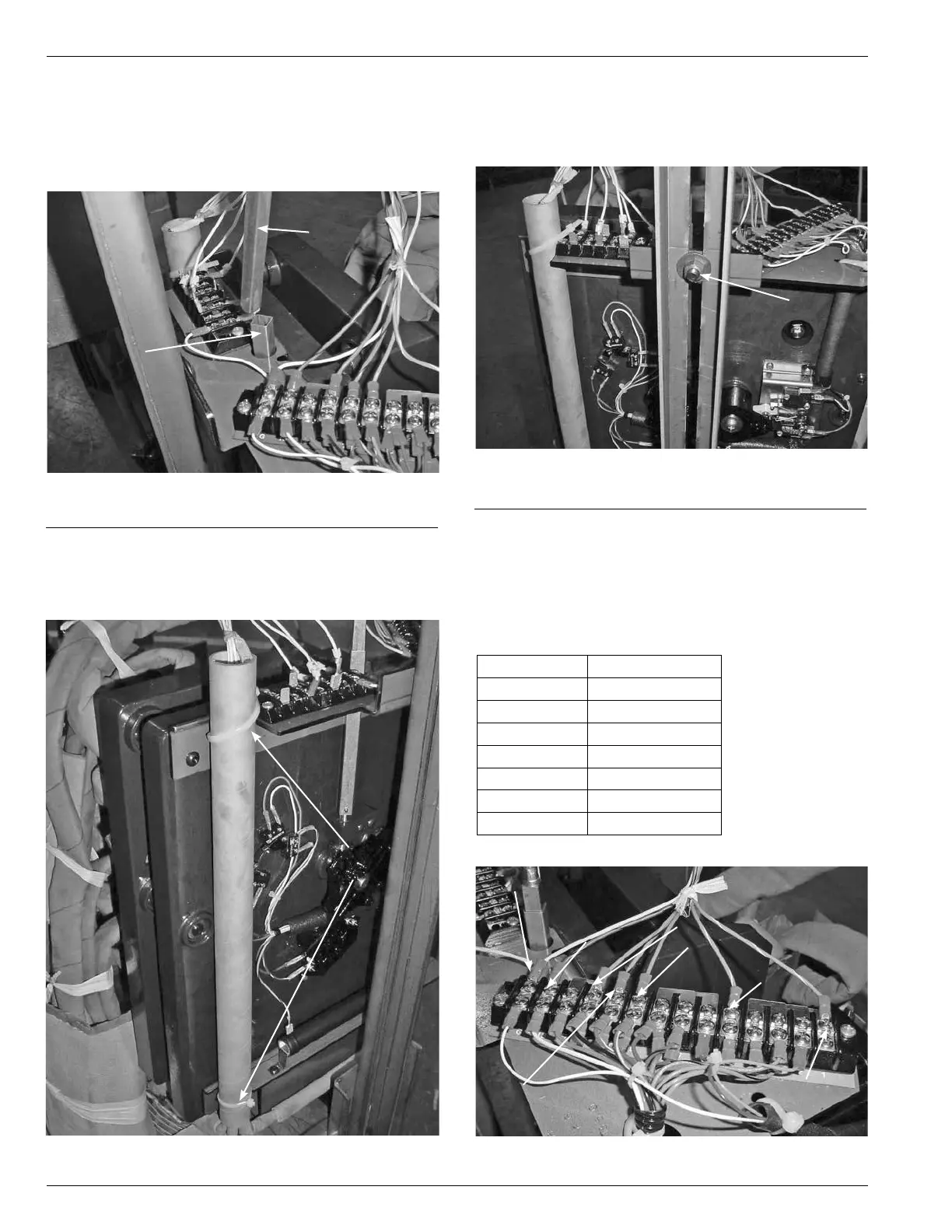
Tap-Changer R emoval F rom
Voltage Regulator
1. Remove the internal position indicator shaft from the tap
changer indicator drive tube. (See Figure 147.)
2. Use a pair of diagonal side cutters to cut and remove
the cableties from the control winding hard insulation
tube and tapchanger top bracket assembly. (See Figure
148.)
Figure 147.
Internal flex shaft.
Internal
Flex
Shaft
Tapchanger
Internal Drive Tube
Cable Tie
3. Use a 9/16 inch socket and ratchet to loosen and
remove the nut and carriage bolt fastening the tap
changer bracket to the regulator side channel. (See Fig-
ure 149.)
Figure 148.
Control cable fastening.
Figure 149.
Tap-changer and side channel fastener.
Carriage Bolt Nut
4. Use a Phillips head screwdriver to loosen and remove
the TCB terminal board leads from the 14 position ter-
minal board located on the top right of the QD3 tap
changer. (See Figure 150.)
TABLE 17
Lead Color and Termination Points
Lead Color TCB Connection
Blue/White 1
Green/White 5
Blue 9
Green 10
Orange 11
Red/Black 13
White G
Figure 150.
TCB lead color and termination points.
White Position G
Red/Black
Position 13
Orange Position 11
Green Position 10
Blue Position 9
Green/White
Position 5
Blue/White
Position 1



 To Next Page